
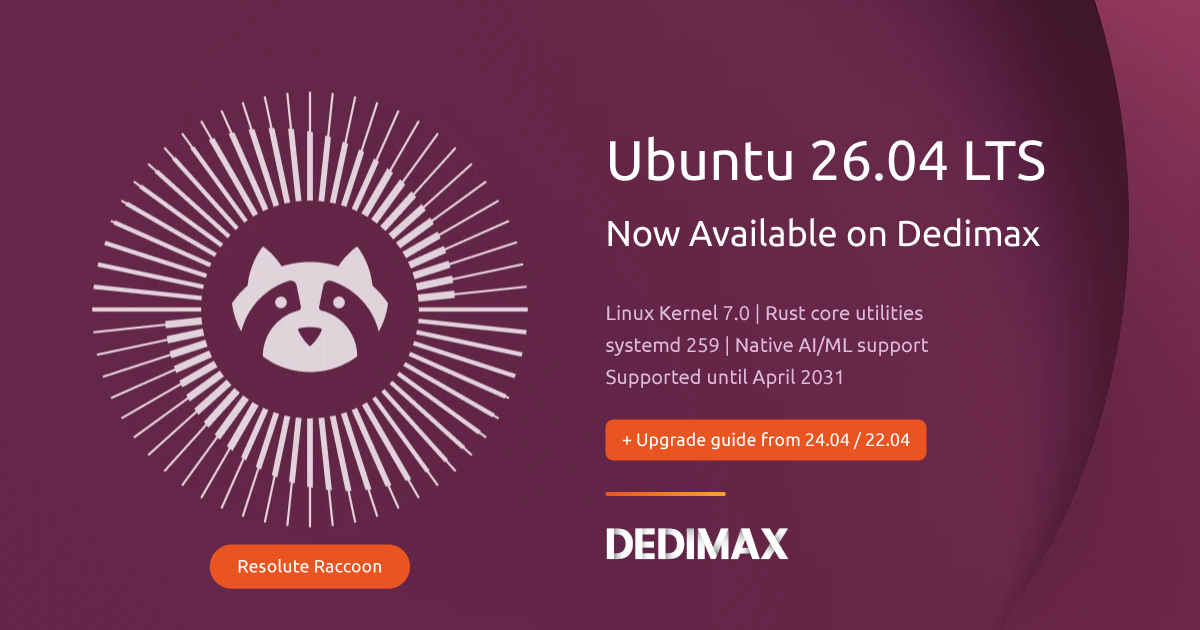
Ubuntu 26.04 LTS "Resolute Raccoon" landed yesterday, April 23, 2026. Starting today, you can deploy it on every Dedimax Cloud and VPS server. Dedicated server support will follow progressively over the coming weeks.
This is a major LTS release, supported until April 2031 (or April 2036 if you go with Ubuntu Pro ESM). If you run servers, this is the version you'll probably stick with for the next two to five years.
Here's what changed, what actually matters for server workloads, and how to upgrade what you already run.
The biggest change under the hood. Kernel 7.0 ships with stable Rust driver support, a new Time-Slice Priority (TIP) scheduler that cuts latency under heavy load, and XFS self-healing. Databases and high-I/O workloads should see real improvements here.
Ubuntu 26.04 swaps out several core system utilities for Rust-based alternatives. The big one: sudo-rs is now the default sudo provider. Same interface, same commands, just written in Rust for memory safety. You won't notice anything in daily use, but it kills off an entire class of potential vulnerabilities.
This one needs attention. systemd 259 drops cgroup v1 support completely. If you run Docker, LXC, or any containers, they have to use cgroup v2. Docker 20.10 and newer handles this natively, but if you're stuck on an older Docker version, upgrade it before moving to 26.04.
Check your current cgroup version:
bash
stat -fc %T /sys/fs/cgroup/If it says cgroup2fs, you're already on v2. If it says tmpfs, you're on v1 and need to migrate first.
Ubuntu 26.04 ships with native support for NVIDIA CUDA and AMD ROCm toolkits. If you run AI workloads like Ollama, vLLM, or Stable Diffusion, driver and library setup is much smoother than on 24.04. See our AI hosting solutions if you're building something in that space.
apt history, new commands to list, inspect, undo, and rollback package changesUbuntu 26.04 LTS is available right now for new deployments on Cloud and VPS servers. Pick "Ubuntu 26.04 LTS" when you create or reinstall a server from the panel.
For dedicated servers, we're rolling 26.04 out progressively across our 120+ locations. If you need it on a dedicated machine before the general rollout, contact support and we'll enable it for your server.
If you run Ubuntu 24.04 LTS and want to upgrade in place, here's the process. Plan for 30 to 60 minutes depending on your connection and the number of installed packages.
Before you start:
bash
sudo apt update
sudo apt dist-upgrade -y
sudo reboot
Reconnect after reboot and confirm nothing is broken:
bash
sudo apt --fix-broken installbash
sudo apt install update-manager-core -yVerify the release upgrade policy is set to LTS:
bash
cat /etc/update-manager/release-upgradesIt should say Prompt=lts. If not, edit the file and set it.
bash
sudo do-release-upgradeNote: the automatic LTS-to-LTS prompt won't be enabled until Ubuntu 26.04.1 (scheduled for August 2026). Until then, use the -d flag:
bash
sudo do-release-upgrade -dFollow the prompts. The upgrade tool shows you what's changing: new packages, removed packages, config file conflicts. For config files, keeping your current version is usually the safe call unless you know the new defaults are better.
If you're upgrading over SSH, the tool sets up a backup SSH listener on port 1022 in case your main connection drops.
bash
sudo rebootAfter reconnecting:
bash
# Verify Ubuntu version
lsb_release -a

# Verify kernel
uname -r

# Check for any broken packages
sudo apt --fix-broken install
sudo apt autoremove -y
You should see Ubuntu 26.04 LTS and kernel 7.0.x.
A few things to verify after the upgrade:
Docker: run docker ps and check that your containers start correctly. The cgroup v2 migration should be transparent if you're on Docker 20.10+.
Databases: check PostgreSQL/MySQL logs for startup issues. Kernel 7.0 changes I/O scheduling, so your database tuning parameters might need adjustment.
SSH: check /etc/ssh/sshd_config if you see authentication failures from legacy systems. The default crypto policies are stricter in 26.04.
Web servers: restart Nginx/Apache and verify your sites load correctly.
Cron jobs: confirm scheduled tasks still run with systemctl list-timers.
If you're still on Ubuntu 22.04 LTS, you can't skip directly to 26.04. You have to upgrade in two stages:
Ubuntu 22.04 LTS → Ubuntu 24.04 LTS → Ubuntu 26.04 LTSEach upgrade takes about 15 to 30 minutes. Plan for an hour total including reboots.
Honestly, if you're doing a jump this big, a fresh install of Ubuntu 26.04 on a new server followed by migrating your data and config is often cleaner and faster.
Ubuntu 20.04 LTS reached end of standard support in April 2025. If you're still running it, a fresh install is the way to go. Attempting a three-stage upgrade (20.04 → 22.04 → 24.04 → 26.04) is asking for trouble.
Deploy a new Dedimax Cloud or VPS server with Ubuntu 26.04, migrate your applications and data, then decommission the old server. Faster, cleaner, less risk of cascading upgrade issues.
For development and testing servers: upgrade now. Ubuntu 26.04 LTS is stable and the new toolchain versions (Python 3.14, kernel 7.0) are worth testing against your applications early.
For production servers: consider waiting for Ubuntu 26.04.1 in August 2026. The first point release rolls up fixes for issues discovered in the first weeks after launch. This is standard practice and what Canonical recommends for production.
For new deployments: there's no reason to start a new project on 24.04 anymore. Deploy on 26.04 and get five years of support from day one.
Ubuntu 26.04 LTS is a significant release: kernel 7.0, Rust-based system utilities, cgroup v2 only, native AI toolkit support. It's the foundation most of us will run on for the next several years. Deploy it today on Dedimax Cloud and VPS, or wait for the dedicated server rollout in the coming weeks.
Take control of your dedicated server (settings, data ...) without any limits in apps usage.
What are you waiting for ?
We’re waiting for you on our blog. New guides and tutorials published regularly (sysadmin, gaming, devops...) !
Let me check