
ChatGPT works well until you remember that every prompt you send sits on someone else's servers, your conversations feed into training data, and your API bill climbs with every request.
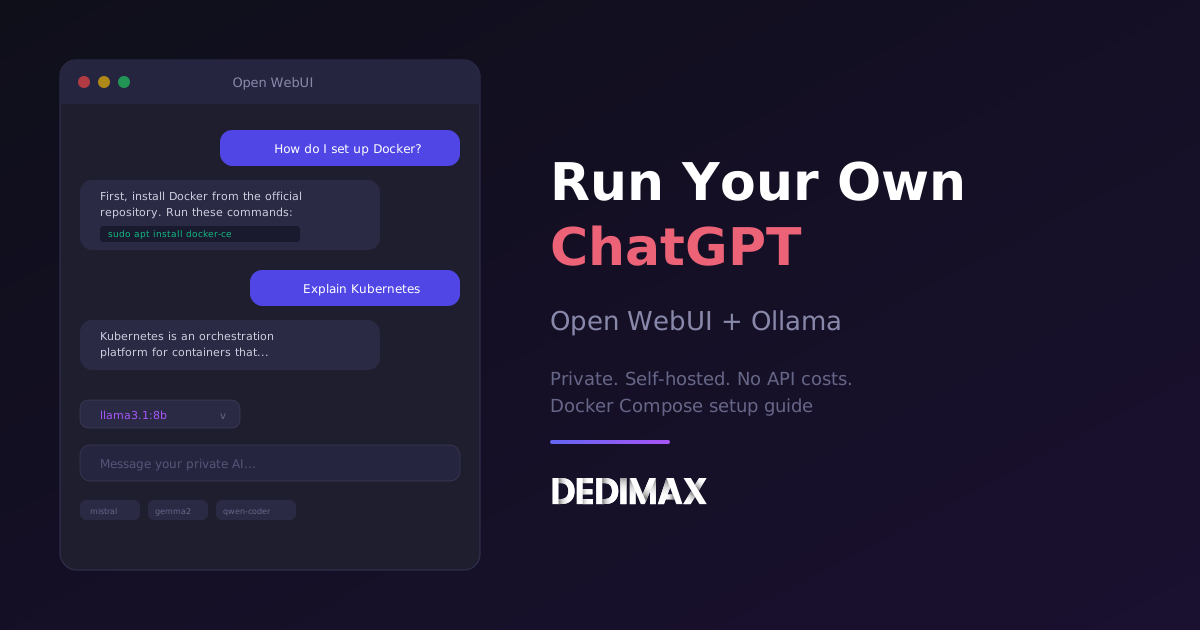
Open WebUI and Ollama give you the same experience, a polished chat interface with multiple AI models, running entirely on your own server. No API costs, no data leaving your network, no rate limits.
Open WebUI is the interface (129k+ stars on GitHub). Ollama is the engine that runs the models. Together they deploy in 5 minutes with Docker Compose, and the result feels like a real product, not a weekend hack.
This guide walks through the complete setup on a Linux server.
For CPU inference with small models (Llama 3.1 8B, Mistral 7B), a VPS with 4 cores and 16 GB RAM gets the job done. Responses are slower than ChatGPT but perfectly usable for personal use or a small team. For faster inference, a dedicated server with a GPU like an RTX 4090 or A100 changes everything.
If Docker isn't already on the box:
bash
sudo apt update
sudo apt install -y ca-certificates curl gnupg
sudo install -m 0755 -d /etc/apt/keyrings
curl -fsSL https://download.docker.com/linux/ubuntu/gpg | sudo gpg --dearmor -o /etc/apt/keyrings/docker.gpg
sudo chmod a+r /etc/apt/keyrings/docker.gpg

echo "deb [arch=$(dpkg --print-architecture) signed-by=/etc/apt/keyrings/docker.gpg] https://download.docker.com/linux/ubuntu $(. /etc/os-release && echo "$VERSION_CODENAME") stable" | sudo tee /etc/apt/sources.list.d/docker.list > /dev/null

sudo apt update
sudo apt install -y docker-ce docker-ce-cli containerd.io docker-buildx-plugin docker-compose-plugin

sudo usermod -aG docker $USER
Log out and back in, then verify:
bash
docker compose versionMake a directory and set up the compose file:
bash
mkdir -p /opt/openwebui && cd /opt/openwebuiCreate docker-compose.yml:
yaml
services:
  ollama:
    image: ollama/ollama:latest
    container_name: ollama
    volumes:
      - ollama_data:/root/.ollama
    restart: unless-stopped
    tty: true

  open-webui:
    image: ghcr.io/open-webui/open-webui:main
    container_name: open-webui
    volumes:
      - openwebui_data:/app/backend/data
    depends_on:
      - ollama
    ports:
      - "3000:8080"
    environment:
      - OLLAMA_BASE_URL=http://ollama:11434
      - WEBUI_SECRET_KEY=your_secret_key_here
    extra_hosts:
      - host.docker.internal:host-gateway
    restart: unless-stopped

volumes:
  ollama_data:
  openwebui_data:
Generate a secret key:
bash
openssl rand -hex 32Replace your_secret_key_here with the generated value.
bash
docker compose up -dWatch the logs:
bash
docker compose logs -f open-webuiWait until you see the server is ready on port 8080. Then open:
http://your-server-ip:3000The first user to register becomes the admin. Create your account right away.
Open WebUI lets you pull models directly from the interface, but the command line is faster:
bash
docker exec -it ollama ollama pull llama3.1:8bThis downloads Llama 3.1 8B (around 4.7 GB). A few other popular models worth trying:
bash
# Fast and capable general model
docker exec -it ollama ollama pull mistral:7b

# Google's compact model
docker exec -it ollama ollama pull gemma2:9b

# Coding-focused model
docker exec -it ollama ollama pull qwen2.5-coder:7b

# Small and fast for quick tasks
docker exec -it ollama ollama pull phi4-mini
Each model takes 3-8 GB of disk space. You can download as many as your storage allows. Ollama loads and unloads them from memory as needed.
Go back to the Open WebUI interface. Pick a model from the dropdown at the top, type a message, and you have your own private ChatGPT.
What you get out of the box:
If you want to reach your AI from outside your network:
bash
sudo apt install -y nginx certbot python3-certbot-nginxCreate /etc/nginx/sites-available/openwebui:
nginx
server {
    listen 80;
    server_name ai.yourdomain.com;

    client_max_body_size 100M;

    location / {
        proxy_pass http://127.0.0.1:3000;
        proxy_set_header Host $host;
        proxy_set_header X-Real-IP $remote_addr;
        proxy_set_header X-Forwarded-For $proxy_add_x_forwarded_for;
        proxy_set_header X-Forwarded-Proto $scheme;

        # WebSocket support (needed for streaming responses)
        proxy_http_version 1.1;
        proxy_set_header Upgrade $http_upgrade;
        proxy_set_header Connection "upgrade";
    }
}
Enable and get SSL:
bash
sudo ln -s /etc/nginx/sites-available/openwebui /etc/nginx/sites-enabled/
sudo nginx -t
sudo systemctl reload nginx
sudo certbot --nginx -d ai.yourdomain.com
The WebSocket headers matter. Without them, streaming responses (where text appears word by word) won't work through the proxy.
Open WebUI isn't limited to local models. You can also connect it to cloud APIs.
In the admin panel, go to Settings → Connections and add your API keys for:
This turns Open WebUI into a unified interface for all your AI models, local and cloud, in one place. Use local models for daily tasks (free, private) and switch to cloud models when you need maximum capability.
The biggest question with self-hosted LLMs is always RAM. Here's a practical guide:
| Model | Parameters | RAM needed (CPU) | Quality |
|---|---|---|---|
| Phi-4 Mini | 3.8B | 4 GB | Good for quick tasks |
| Mistral 7B | 7B | 8 GB | Strong general use |
| Llama 3.1 8B | 8B | 8 GB | Excellent all-rounder |
| Gemma 2 9B | 9B | 10 GB | Google's best compact model |
| Qwen 2.5 Coder 7B | 7B | 8 GB | Best for coding tasks |
| Llama 3.1 70B | 70B | 48 GB+ | Near GPT-4 quality (needs GPU) |
For CPU inference, 16 GB RAM gives you comfortable headroom for 7-8B models. Responses take 2-5 seconds to start, slower than ChatGPT, but completely private and free.
With a GPU (RTX 4090, 24 GB VRAM), responses are near-instant and you can run models up to 30B parameters comfortably.
Open WebUI and Ollama ship updates often. To upgrade:
bash
cd /opt/openwebui
docker compose pull
docker compose up -d
docker image prune -f
Your conversations, users, and settings stay in the Docker volumes.
"Model not found" error: the model isn't downloaded yet. Run docker exec -it ollama ollama pull model_name.
Slow responses: that's CPU inference. It's normal for 7B models to take 2-5 seconds per response on CPU. For faster results, use a smaller model like Phi-4 Mini or add a GPU.
Out of memory: the model is too big for your RAM. Stick to 7-8B models on 16 GB RAM. Ollama uses quantized models (Q4) by default to reduce memory usage.
WebSocket errors through proxy: check that your Nginx config includes the Upgrade and Connection headers for WebSocket support.
Can't register: by default the first user is admin. If registration got disabled, the admin can create accounts in Settings → Admin → Users.
Take control of your dedicated server (settings, data ...) without any limits in apps usage.
What are you waiting for ?
We’re waiting for you on our blog. New guides and tutorials published regularly (sysadmin, gaming, devops...) !
Let me check