
Most sysadmins don't have a real security watch. Not because they don't care about security, but because "staying on top of CVEs" sounds vague, time-consuming, and like something you'd set up after everything else is done. Which is why it never gets done.
The result is predictable. You find out about a critical vulnerability affecting your stack from a Reddit thread, a client's panicked Slack message, or an incident report. By that point, the window where you could have patched quietly has closed.
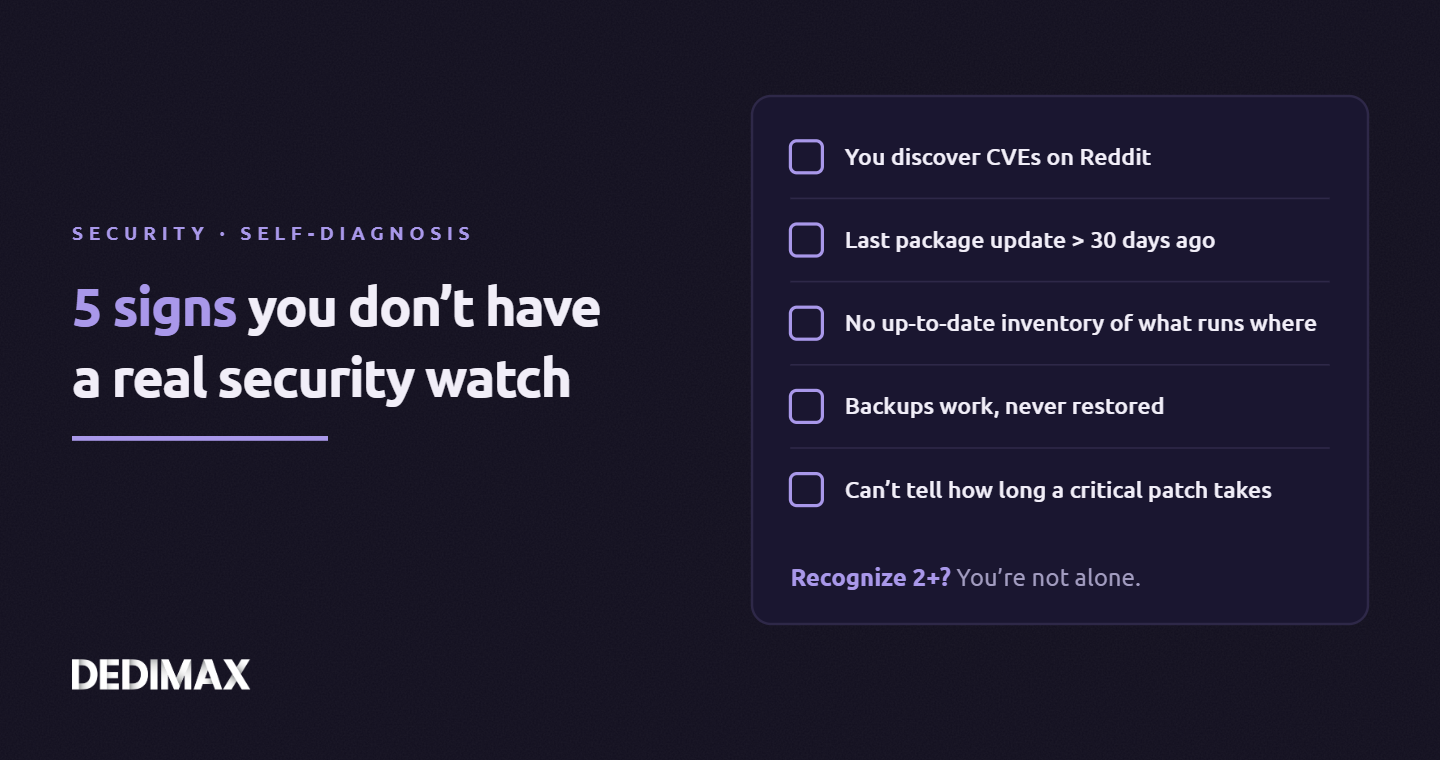
This article walks through the 5 signals that your security watch isn't where it should be. Each comes with the specific scenarios it causes and the concrete fix to put in place. You don't need to score 5/5 to be in trouble. Any single one of these creates real operational risk, and most admins reading this will recognize at least two.
The good news: fixing all five takes an afternoon of setup and about 15 minutes per week to maintain. That's less than you spend on any other operational discipline (backups, monitoring, documentation). What's missing is almost never the time. It's the framework.
What it looks like: your awareness of new vulnerabilities comes from scrolling r/sysadmin, Mastodon infosec, or a Twitter feed. Sometimes you catch something relevant. Most of the time you miss what matters to your specific stack because the signal-to-noise ratio of social media is terrible for operational security.
Why it's a problem: by the time a CVE is viral enough to show up in your feed, the exploitation window has often already opened. Threat actors monitor the same public sources you do, usually faster and more systematically. The gap between CVE publication and automated exploitation attempts has shrunk dramatically over the past few years. "I'll see it when it's important" is not a strategy, it's hope.
How to fix it: build a two-layer feed.
Layer 1 (what's being exploited right now): subscribe to the CISA Known Exploited Vulnerabilities catalog. It's free, updated multiple times per week, and curated. Only CVEs with confirmed in-the-wild exploitation appear. If you only pay attention to one source, this is it. The catalog is available as JSON/CSV and most feed readers can poll it. Note that CISA ended its separate weekly bulletin in September 2026, so the KEV catalog itself is now the primary signal from them.
Layer 2 (what's new and relevant to your stack): subscribe to vendor security advisory RSS feeds for every piece of software you actually run. Not every project in existence, just yours. Debian security announcements, Red Hat security advisories, Ubuntu security notices, the GitHub Security Advisories for repositories you depend on, the vendor pages for the proprietary software you run. Add them all to one feed reader (Feedly, Miniflux, FreshRSS). The volume is lower than you'd think because you filter by what you actually use.
Together these two layers surface exploited vulnerabilities within hours of confirmation, and new vulnerabilities for your specific stack within hours of vendor disclosure. That's a dramatic improvement over "I'll see it on Reddit."
What it looks like: you SSH into a server, run apt list --upgradable or the equivalent, and see 40+ packages waiting. You don't remember the last time you updated. The server has been running "fine" so you've been leaving it alone.
Why it's a problem: every day that passes between a security patch being released and you installing it is a day of exposure. For critical vulnerabilities under active exploitation, that window matters a lot. Unattended servers accumulate vulnerability debt in a way that compounds silently. The server works, so nothing feels broken, so nothing demands attention, so nothing gets done.
How to fix it: configure automatic installation of security updates only, with notifications for everything else.
The specific tool depends on your distro: unattended-upgrades on Debian/Ubuntu, dnf-automatic with apply_updates = yes restricted to security on Red Hat family, equivalents elsewhere. The common configuration: install security updates automatically, download but don't install other updates, email you a summary of what happened.
This gives you the best of both worlds: critical patches land within 24 hours of release without you doing anything, and nothing non-security changes without your awareness. The common objection ("but what if a security update breaks something?") is valid in principle but overstated in practice. Security updates from major distros are specifically kept minimal and tested. The rare times they do break things, you'd rather be caught by that than by the actual exploitation of the unpatched vulnerability.
For services running outside your package manager (Docker containers, applications you installed from source, language-level dependencies like npm or pip), you need a parallel discipline. Container images need rebuilding on a schedule. Application dependencies need periodic audits with npm audit, pip-audit, or equivalent. Automating these is a Day 2 problem but worth adding to your list.
Setting up unattended-upgrades is check #4 in our post-provisioning checklist covering what to do on every new server, so if your workflow starts there, this signal is already handled.
What it looks like: you know your main production servers well. You're less sure about that staging box someone set up last year. You have a vague idea what Docker containers are running where, but if someone asked "which servers run PostgreSQL 14 vs 15 vs 16," you'd have to go check each one. Your mental model of your infrastructure is approximate.
Why it's a problem: when a vulnerability drops for a specific version of a specific piece of software, your first question is "do I run that, and where?" If you can't answer in minutes, you're spending the critical patch window doing archaeology instead of patching. Worse, you'll inevitably miss something. The forgotten staging server running an obsolete database that was supposed to be decommissioned six months ago is a classic breach story.
How to fix it: maintain a simple inventory. It doesn't need to be a sophisticated CMDB.
Minimum viable inventory: a single document (markdown file, shared spreadsheet, wiki page) listing every server you administer. For each: hostname, IP, purpose, OS and version, major software running (web server, database, language runtime), who else has access, where backups go. Update it every time you provision or decommission a server. Review it quarterly.
Better: use a tool. osquery turns any server into a database you can query for installed packages, running processes, listening ports, and configuration. Running the same query across your fleet answers "where do I have PostgreSQL 14?" in seconds. More ambitious setups add Trivy or Grype for continuous vulnerability scanning of installed packages and container images.
The maturity ladder is: no inventory → manual document → osquery or similar → full fleet management (Ansible inventory, NetBox, etc.). Start at step 2 even if you only run 3 servers. The discipline of writing it down forces clarity, and the document pays for itself the first time you need to answer "where do I have X installed?"
What it looks like: your backup system runs nightly. The logs say success. The disk at the backup destination fills up at the expected rate. You've never actually taken one of those backups and restored it to verify the restore produces usable data. You've been meaning to, but it's never urgent.
Why it's a problem: a backup that has never been restored is a hypothesis, not a backup. Common failure modes that silently invalidate backups: schema changes that break the restore procedure, backup scripts that successfully copy empty database dumps because of a credentials error, snapshot tools that save data in a format no current version of your software can read, encryption keys that rotated without the backup system being updated.
The context here is specifically security: ransomware is a common incident type, and the ransomware playbook assumes you'll pay rather than restore from backup. The deterrent to that assumption is a tested, working restore procedure, not just an existing backup job.
How to fix it: run a restore test on a schedule.
Minimum: quarterly, pick one backup set at random, restore it to a scratch environment (another server, a VM, a container), verify the restored data is complete and usable. Document the time it took. If the first restore takes you two hours of reading your own backup documentation, that's valuable data about your actual recovery time.
Better: automate the restore test. Spin up a temporary environment, restore the latest backup into it, run basic validation (database queries return expected rows, application starts, specific files exist and have correct checksums), tear down the temporary environment, alert if anything failed.
The 3-2-1 principle (3 copies, 2 different media, 1 offsite) is table stakes, and our complete backup strategy for self-hosters walks through the setup if you're starting from scratch. The second-order discipline, actually using backups periodically, is what separates teams that recover from incidents in hours from teams that spend days.
What it looks like: a critical CVE drops. You identify that it affects your stack. You start patching. Three hours later, you're still working through it because you had to figure out which servers were affected, whether to reboot, whether to coordinate with other teams, whether the patch required a service restart that would cause downtime, and whether to patch dev/staging first or go straight to prod. Each decision was improvised in the moment.
Why it's a problem: the time between "critical patch available" and "critical patch deployed to all affected systems" is a measurable number, and if you don't know yours, you can't improve it. More importantly, under incident conditions you'll be making those improvisational decisions badly. You might patch too fast and break something, or too slow and leave the vulnerability window open longer than necessary.
How to fix it: establish an internal patch SLA, and the procedures that make it reachable.
Define three tiers of urgency:
For each tier, know your procedure: who decides to patch, who performs the patching, in what order (dev → staging → prod? parallel? all at once?), who verifies it worked, who documents the decision if you chose not to patch. Write it down once, follow it every time. The decisions become automatic instead of improvised.
The win isn't just speed. It's consistency. When patching follows a known procedure, you make fewer mistakes, you spend less cognitive load during incidents, and your team can take over if you're unavailable. This matters more than any specific tooling choice.
Every signal above comes back to the same underlying issue: security watch gets treated as an optional background task rather than a scheduled operational discipline. Nothing about it is technically hard. The hard part is making it recurring instead of reactive.
Three disciplines, baked into your weekly rhythm, cover all five signals:
That's it. Three recurring blocks on your calendar, totaling about an hour of real work per month plus the quarterly session. Compare that to the time cost of a single preventable security incident, and the math is obvious.
If you recognized yourself in two or more of the signals above, you're not alone. Most sysadmins run with at least a few of these gaps. The difference between operations that get surprised and operations that don't is almost never knowledge or budget. It's whether security watch has a slot on the calendar, same as backups and monitoring. Give it that slot, and the rest follows naturally.
On any VPS or dedicated server you administer, the entire discipline above is zero-cost beyond your time: all the sources mentioned (CISA KEV, EPSS, NVD, vendor feeds) are free and public. The tooling (unattended-upgrades, osquery, Restic) is open source. The constraint is attention, not resources. Set up the weekly block, protect it, and in six months you'll wonder how you ever operated without it.
Take control of your dedicated server (settings, data ...) without any limits in apps usage.
What are you waiting for ?
We’re waiting for you on our blog. New guides and tutorials published regularly (sysadmin, gaming, devops...) !
Let me check