
You configured SPF. You added DKIM. You set up DMARC. You checked with mail-tester.com and got a 10/10. Your emails still land in spam or, worse, get rejected outright with 5xx codes since Gmail moved to hard enforcement in November 2025.
That's the point where most guides stop being useful. They all cover the same three protocols and stop there. But in 2026, the three basic authentication records are the entry ticket, not the finish line. Gmail, Microsoft, and Yahoo, which together handle around 90% of email inboxes worldwide, now check a dozen additional signals before deciding whether your message reaches the inbox, the spam folder, or a bit bucket.
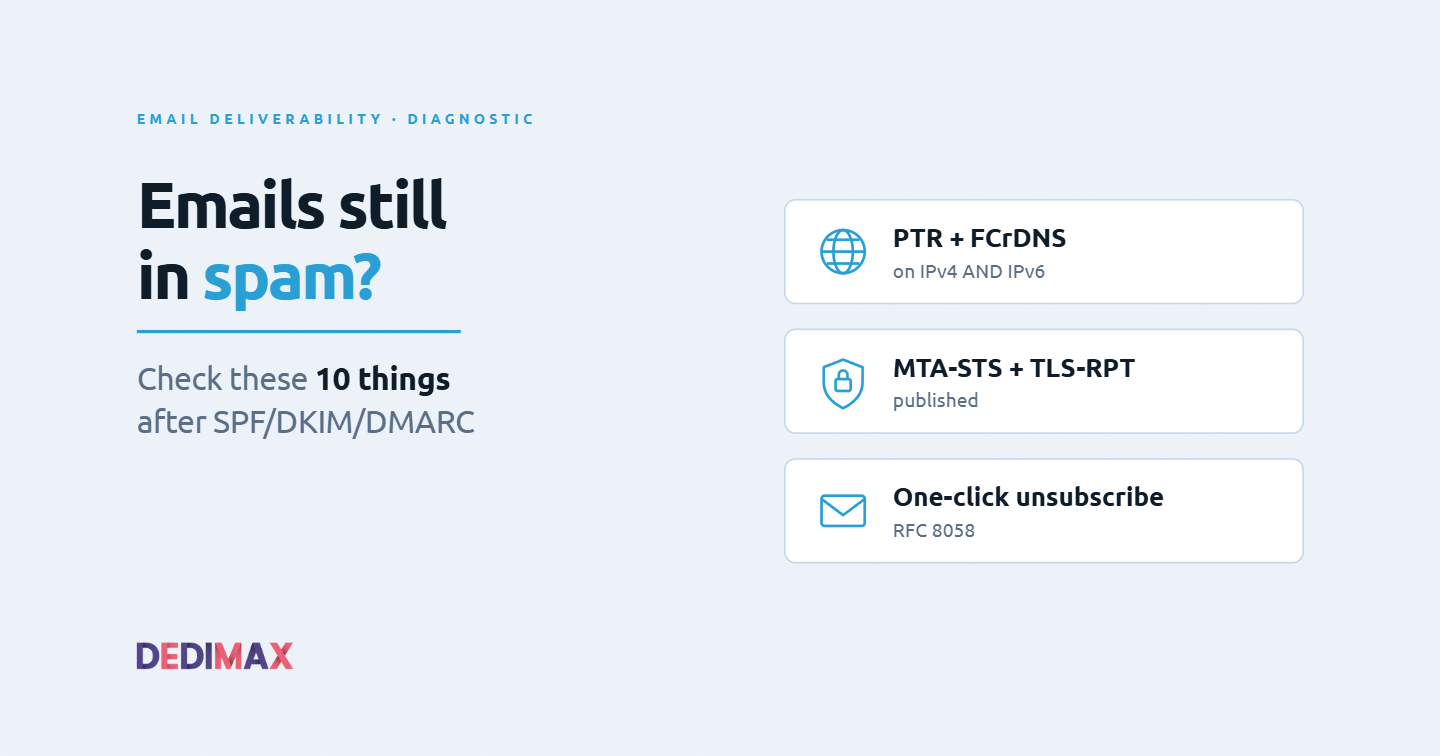
This article walks through the 10 checks that actually matter after SPF/DKIM/DMARC are in place. Not theory, not what to do if you're starting from zero. The specific gaps that cause deliverability failures when the basics look correct on paper. Each check comes with the exact command to verify it and what to fix if it fails.
Before touching any DNS record, decide which of these three sending architectures you're running. The checks below apply to all three, but the fix strategy differs.
Self-hosted SMTP server (Postfix, Haraka, exim on your own VPS or dedicated server). Maximum control, maximum responsibility. Every check below is on you.
Transactional relay (Mailgun, Postmark, SendGrid, Amazon SES, Brevo). The relay handles PTR, TLS, MTA-STS, and IP warm-up. Your job is DNS records and content compliance.
Hybrid (your app talks to a relay for outbound, but you also run inbound MX or transactional flows on your own infra). Common in self-hosted stacks. You need to verify both paths.
If you're on a Dedimax dedicated server or VPS sending directly, all 10 checks apply. If you're relaying through a transactional provider, checks 1, 2, 6, 7, 8, and 10 still need your attention on the provider's side, they don't disappear because you outsourced them.
The single most common cause of "emails work in testing, fail in production": the sending IP has no PTR record, or the PTR points to a generic hostname like vps-abcd1234.provider.tld instead of a hostname on your domain.
Since November 2025, Gmail returns permanent 5xx rejections for messages from IPs without valid PTR records. Microsoft enforces the same rule as of May 2025. This isn't a soft signal anymore, it's a wall.
Verify from any machine:
dig -x YOUR_SENDING_IP +shortIf the output is empty, blank, or shows something like vps-12345.somehost.com, you have a problem. What you want is your mail hostname, for example mail.yourdomain.com.
Fix: PTR records are managed by whoever owns the IP block, which is your hosting provider, not your domain registrar. On Dedimax, you set the reverse DNS entry from the client area for each of your IPs. Configure it to match the hostname your mail server announces in its HELO/EHLO greeting.
A PTR record alone is not enough. Modern mail servers verify Forward-Confirmed Reverse DNS: the PTR hostname must forward-resolve back to the same IP. If either half fails, the check fails.
dig -x YOUR_SENDING_IP +short
# Say this returns: mail.yourdomain.com

dig mail.yourdomain.com +short
# This must return: YOUR_SENDING_IP
Both lookups must land on the same IP. If your A record for mail.yourdomain.com points somewhere else (or doesn't exist), FCrDNS fails and Gmail treats you as suspicious even if PTR alone looks correct.
Fix: publish an A record for the exact hostname your PTR points to. If you have both IPv4 and IPv6, do this for both. Which brings us to check 3.
This is where a large percentage of otherwise correctly-configured servers fall over. Your server has an IPv6 address (most modern VPS and dedicated servers do). Gmail and other providers now connect to your MX over IPv6 when available. If your IPv6 has no PTR in the ip6.arpa zone, the message gets penalized or rejected.
Check:
dig AAAA mail.yourdomain.com +short
# If this returns an IPv6 address, do:

dig -x <that IPv6 address> +short
# Must return mail.yourdomain.com
If the AAAA lookup returns nothing, your server doesn't publish IPv6 for its mail hostname (fine, though limiting). If it returns an address but the reverse lookup is empty, you have the exact issue that's silently killing your deliverability.
Fix: set the IPv6 PTR record from your Dedimax client area exactly like the IPv4 one. If you can't manage IPv6 PTR for whatever reason and don't need IPv6 email, disable IPv6 listening on your mail server so it falls back to IPv4 only.
When your mail server connects to a recipient's server, it introduces itself with a HELO or EHLO command followed by a hostname. If that hostname doesn't match the PTR of the connecting IP, some providers apply a reputation penalty.
Check what your server announces:
telnet gmail-smtp-in.l.google.com 25Watch the initial exchange. Your server sends EHLO some-hostname. That some-hostname must equal the PTR of your outgoing IP. On Postfix, this is controlled by the myhostname directive in /etc/postfix/main.cf.
Fix:
myhostname = mail.yourdomain.comThen reload Postfix. Test again. This is a 30-second fix that fixes a real deliverability issue for many admins.
Your SPF record is valid. It authorizes the correct IPs. Great. But does the Return-Path domain (the envelope sender, not the visible From) align with the domain in your From header?
DMARC alignment requires that SPF or DKIM (preferably both) align with the From: header domain. If your app sends with a From of notifications@yourdomain.com but the envelope Return-Path is bounces@sendgrid.net, SPF passes but doesn't align, and you rely entirely on DKIM alignment.
Check by inspecting the headers of a delivered message:
Return-Path: <bounces@yourdomain.com>
From: notifications@yourdomain.com
Authentication-Results: mx.google.com;
    spf=pass ...
    dkim=pass ... header.d=yourdomain.com
    dmarc=pass ...
The spf=pass line should be followed by a domain that matches (or is a subdomain of) your From domain. If it says spf=pass smtp.mailfrom=someprovider.com, SPF doesn't align, and DKIM alignment becomes critical.
Fix: for transactional relays, configure a custom Return-Path domain (a subdomain of yours, like bounces.yourdomain.com) delegated to the relay. Every serious provider supports this. It's not optional if you're a bulk sender under Gmail's rules.
A DMARC record of v=DMARC1; p=none; rua=mailto:dmarc@yourdomain.com; is the minimum Gmail wants to see. It's also useless if you don't actually receive and read those reports.
DMARC reports are XML files sent to the address in your rua= tag. They tell you which senders (legitimate and illegitimate) are using your domain. Without reading them, you can't move to p=quarantine or p=reject safely, and you'll never know if someone is spoofing your domain.
Check your reports are actually arriving:
dig TXT _dmarc.yourdomain.com +shortThen check the mailbox for rua=. If it's empty, your DMARC record is essentially decorative.
Fix: use a DMARC aggregator (Postmark's is free, Valimail Monitor, dmarcian, or self-host something like dmarc-analyzer). Once you've been at p=none with clean reports for 30 days, move to p=quarantine. After another 30 clean days, move to p=reject. Providers reward domains at p=reject with better placement.
Both are DNS + HTTP records that tell recipients to enforce TLS when connecting to your MX, and to report back if TLS fails. Gmail and Microsoft heavily favor domains publishing these.
MTA-STS check:
dig TXT _mta-sts.yourdomain.com +short
# Should return: v=STSv1; id=...

curl https://mta-sts.yourdomain.com/.well-known/mta-sts.txt
# Should return the policy file
TLS-RPT check:
dig TXT _smtp._tls.yourdomain.com +short
# Should return: v=TLSRPTv1; rua=mailto:tls-reports@yourdomain.com
Fix: publish the DNS TXT records, serve the mta-sts.txt policy file at https://mta-sts.yourdomain.com/.well-known/mta-sts.txt with a valid TLS certificate. This is a one-hour setup that meaningfully improves inbox placement.
DKIM keys set up years ago with 1024-bit RSA are increasingly flagged as weak. Modern requirements are 2048-bit RSA minimum, with Ed25519 becoming acceptable but not universally supported yet.
Check your current key size:
dig TXT SELECTOR._domainkey.yourdomain.com +short
# The p= value is base64. A rough proxy: if the entire record fits in one TXT string
# with padding, it's probably 1024-bit. 2048-bit records need TXT chunking.
If in doubt, decode the base64 p= value and check the resulting key length.
Fix: generate a new 2048-bit key with a new selector, publish it in DNS, configure your mail server to sign with the new selector, then remove the old one after a grace period. Never rotate a DKIM key by updating the same selector, always use a new one so in-flight mail signed with the old key can still verify.
Being listed on Spamhaus is well-known. Being listed on Barracuda, SORBS, SpamCop, or UCEPROTECT is less famous and often catches admins by surprise. Some receivers use lesser-known lists that never get talked about.
Check with a tool that queries many lists at once:
mailgrade yourdomain.comThis new open-source Go tool (single static binary, no dependencies) grades your entire email posture from a single command, checking SPF, DKIM, DMARC, reverse DNS, STARTTLS, MTA-STS, TLS-RPT, DANE, BIMI, and blocklists. Output includes a 0-100 score, an A-F grade, and the exact record to publish for each gap.
Alternative: mxtoolbox.com/blacklists.aspx for a web-based view of major RBLs.
Fix: if listed, follow the specific delisting procedure for each RBL. Never treat delisting as the actual fix. If you're listed, something caused it (compromised account, mailing list gone bad, misconfigured application, spam complaint spike). Fix the root cause first, then request delisting.
Since April 2024, and enforced hard since November 2025 by Gmail, bulk senders (5000+ messages per day to Gmail addresses) must implement one-click unsubscribe per RFC 8058. This means two headers on every marketing or newsletter message:
List-Unsubscribe: <mailto:unsubscribe@yourdomain.com>, <https://yourdomain.com/unsub?u=TOKEN>
List-Unsubscribe-Post: List-Unsubscribe=One-Click
The List-Unsubscribe-Post header is the critical one. Without it, Gmail treats the message as non-compliant and can reject it outright. Additionally, unsubscribe requests must be processed within 2 business days.
Check by sending a test message to Gmail and viewing the raw source. If both headers appear, you're compliant. If only the mailto version appears, Gmail treats the message as legacy and applies the reputation penalty.
Fix: implement RFC 8058 in your app or transactional provider. Every serious provider supports it, but many self-hosted mailing setups don't have it enabled by default.
Email deliverability is not one problem, it's a stack of a dozen small problems. Miss one, and your legitimate mail gets treated as junk. The three basic authentication records (SPF, DKIM, DMARC) are the entry ticket. Everything above is what actually separates messages that reach inboxes from messages that don't.
The single most useful thing to internalize: treat email like production infrastructure, not like a set-and-forget configuration. Rotate keys periodically. Read DMARC reports weekly. Monitor RBL listings. Verify PTR after any IP change. If you run mail on your own VPS or dedicated server, setting up scheduled mailgrade runs (or equivalent) in your monitoring stack is a 10-minute investment that catches drift before it costs you. The same discipline we recommended in our SSH hardening guide applies here: eliminate the failure modes systematically, don't wait for them to bite.
For anything beyond low-volume transactional mail, seriously consider offloading the actual sending to a specialized transactional relay while keeping your DNS records and content compliance on your own infrastructure. The economics of running a compliant mail sender at scale in 2026 rarely favor self-hosting the sending itself, even if you self-host everything else.
The good news: once these 10 checks pass, deliverability becomes surprisingly stable. Most failures come from drift (an expired certificate, a rotated IP without PTR update, a new selector that never got aligned). Bake these checks into your monitoring the same way you bake in disk space and CPU alerts, and you'll rarely be surprised.
Take control of your dedicated server (settings, data ...) without any limits in apps usage.
What are you waiting for ?
We’re waiting for you on our blog. New guides and tutorials published regularly (sysadmin, gaming, devops...) !
Let me check