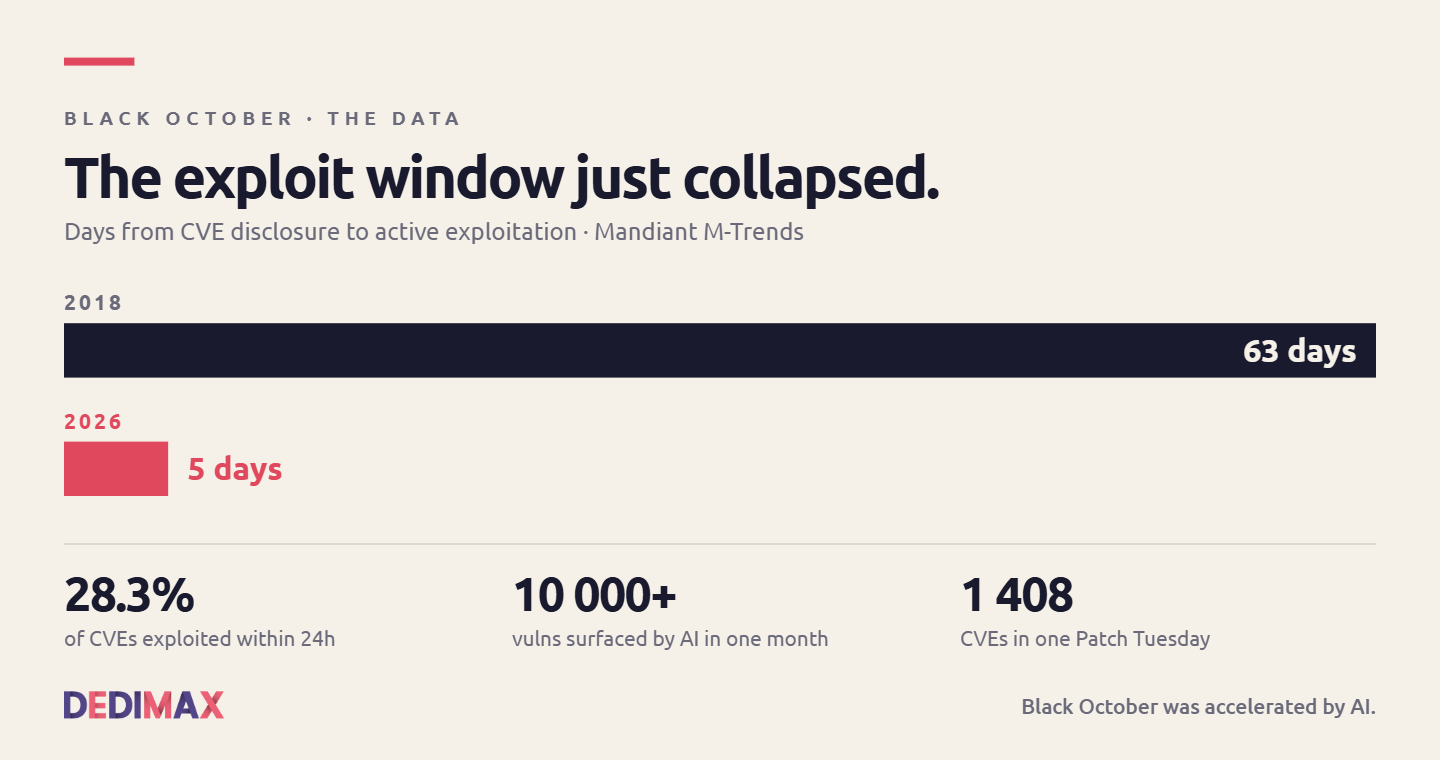
Black October Was Accelerated by AI. Here's What Comes Next for CVE Monitoring.
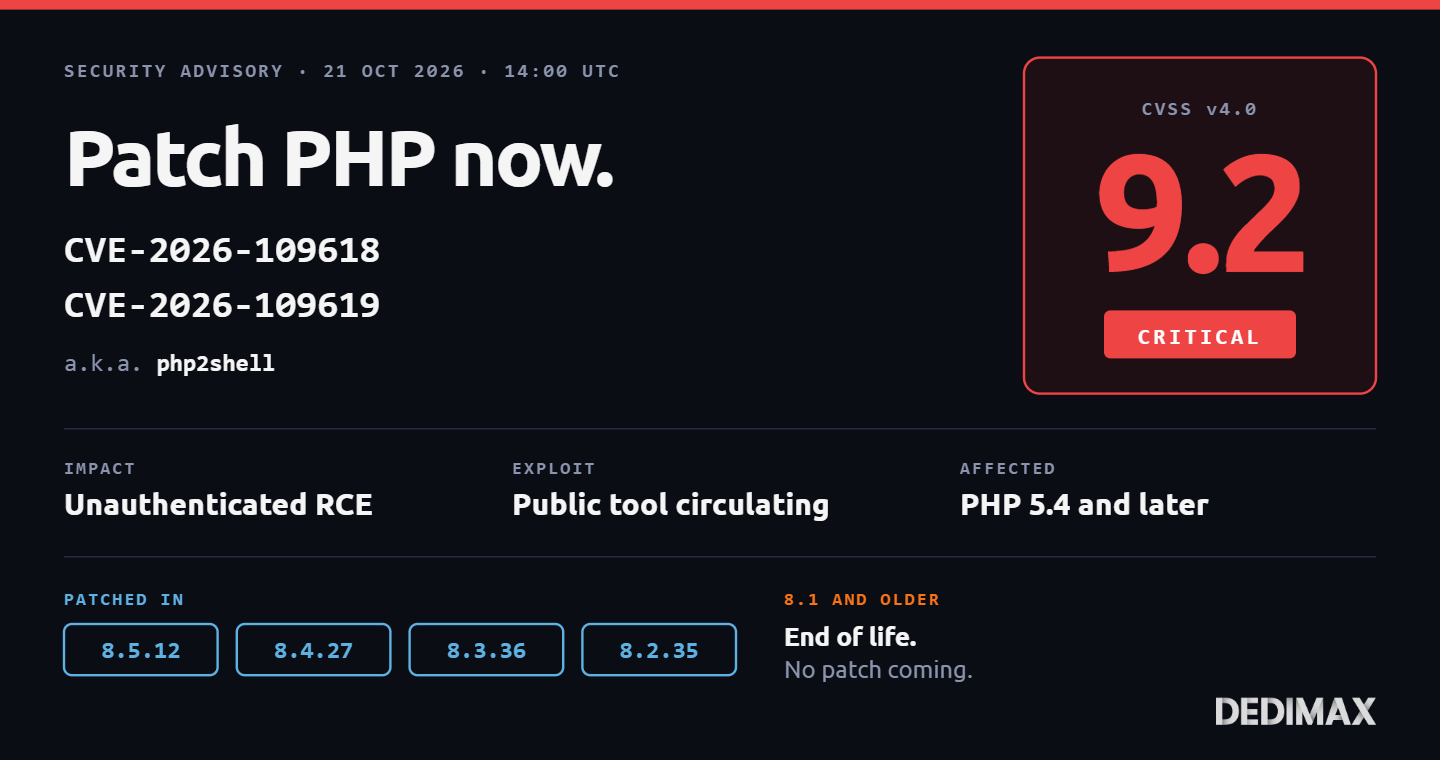
The last ten days have been nicknamed "Black October" in the security press. Two critical PHP RCE vulnerabilit...

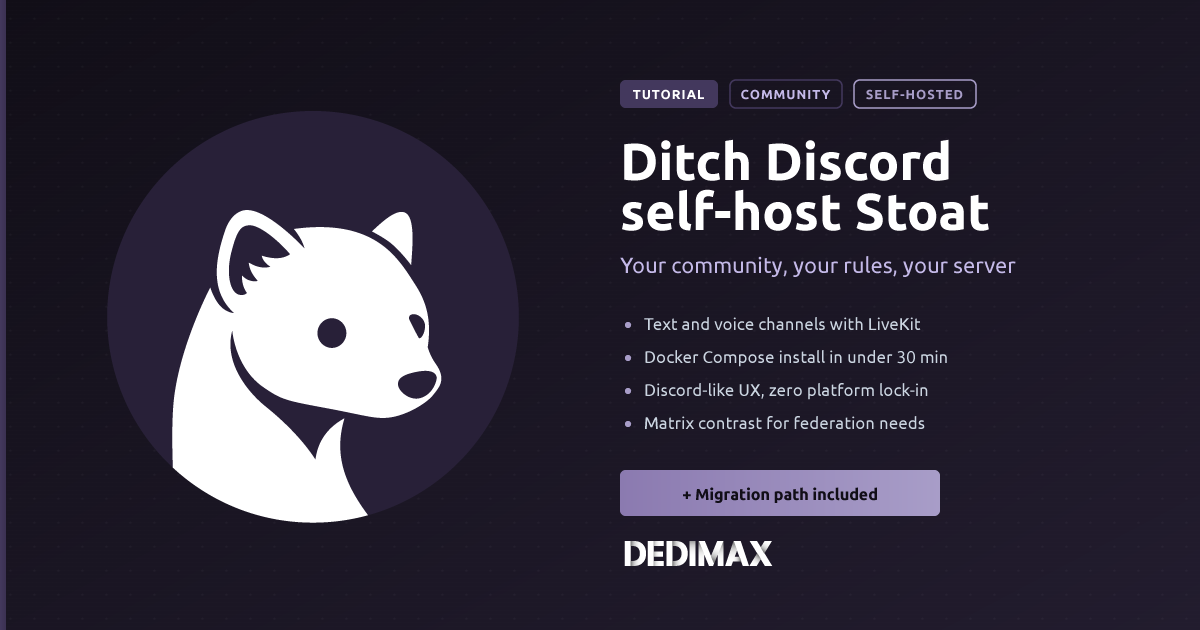
Discord has been the default community platform for the last decade, but 2026 has been a year of quiet exodus. A viral Reddit thread from the admin of a 55,000-member Touhou community kicked off a week-long deep-dive into self-hosted alternatives that resonated with thousands of server operators. The concerns are the same ones you've probably had: your community lives on rented land, the rules can change without notice, moderation decisions aren't yours, and the platform can decide your particular gathering isn't welcome anymore.
If you're ready to move a community off Discord in 2026, two projects dominate the self-hosted space, and they solve very different problems. Stoat (the project formerly known as Revolt) is the closest visual and functional match to Discord itself. Matrix, with the Synapse server and Element client, is the mature federated protocol that lets you bridge to Discord, Slack, WhatsApp, and half a dozen other platforms while keeping your data local.
This guide covers the full Stoat deployment: what changed with the rebrand, hardware specs, the Docker Compose stack, LiveKit voice setup, and the reverse proxy configuration. At the end, we cover when Matrix is the better choice for your community.
If you researched self-hosted Discord alternatives even six months ago, everything you read was about Revolt. Everything you'll read from now on is about Stoat. The two are the same project.
In October 2025, Revolt received a cease-and-desist and rebranded to Stoat. The organization moved from revoltchat to stoatchat on GitHub. The codebase, license, maintainers, and architecture didn't change. What did change is confusing on purpose: the config file is still called Revolt.toml, the MongoDB database is still called revolt, the environment variables are still prefixed REVOLT_, and the Docker Compose project name was revolt until you migrate it. Existing knowledge of Revolt applies directly to Stoat. It's a rename, not a fork.
If you had a Revolt instance running before October 2025 and you haven't touched it since, this guide's upgrade section covers the migration path. If you're deploying fresh, you're deploying Stoat.
Stoat is a chat platform that looks and feels almost identical to Discord. Same visual hierarchy: server list on the left, channels in the middle, member list on the right. Same concepts: servers (formally called "workspaces" in the code but "servers" everywhere else), channels, categories, roles, permissions, direct messages, group DMs, custom emoji, bots.
Under the hood it's built with:
License is AGPL-3.0. The project is still pre-1.0 (v0.11.x as of this writing), which means occasional breaking changes and a documentation set that assumes you'll figure out some things by reading the compose file. If you're comfortable with that trade-off in exchange for a polished user experience, Stoat is the right choice.
What Stoat doesn't do:
Stoat runs a dozen containers, and MongoDB alone wants about 1 GB of memory headroom under any real load. Plan for these resources:
For a small community (under 50 users), a VPS at 9.99€/month with 4 GB RAM handles it. For anything larger, or if your community will use voice channels heavily, move to 8 GB RAM or a dedicated server.
SSH in as root or a sudo user:
ssh root@your-server-ipUpdate everything:
apt update && apt upgrade -y
apt install -y ca-certificates curl git micro
Install Docker if it's not already there. The fast way:
curl -fsSL https://get.docker.com | sh
systemctl enable docker
For a detailed walkthrough, see our Docker install guide.
Open the required ports:
ufw allow 22/tcp
ufw allow 80/tcp
ufw allow 443/tcp
ufw allow 7881/tcp
ufw allow 7882/udp
ufw enable
Ports 7881 and 7882 are for LiveKit voice traffic (TCP for signaling, UDP for media). If you're not using voice channels, you can skip them.
If you're new to UFW, our firewall guide covers the basics.
Add an A record in your DNS provider:
A chat.yourdomain.com YOUR_SERVER_IPWait 1 to 5 minutes for DNS propagation. Verify with:
dig chat.yourdomain.comThe result should show your server's IP.
Clone the official self-hosted repository:
git clone https://github.com/stoatchat/self-hosted stoat
cd stoat
Stoat ships a config generator that produces Revolt.toml (yes, still called that) with sensible defaults. Run it with your domain name:
chmod +x ./generate_config.sh
./generate_config.sh chat.yourdomain.com
The script generates a full config, writes secrets to secrets.env, and creates the compose file for you. This is important: as of February 2026, secrets.env holds the cryptographic keys that let users decrypt their existing accounts. If you already had a Revolt instance running, you must copy your secrets to secrets.env before running this script, or you'll lose access to existing accounts.
Verify the config was generated:
ls -la Revolt.toml secrets.envBoth files should be present. Open Revolt.toml and review the settings. Most defaults are fine, but you should confirm:
PUBLIC_URL matches your domainSMTP block is configured if you want invitation emails to workSECURITY block matches your policies (allow signups, require captcha, etc.)If you want voice channels, run the LiveKit voice configuration migration:
chmod +x migrations/20260218-voice-config.sh
./migrations/20260218-voice-config.sh chat.yourdomain.com
This appends the LiveKit config to your existing files. Skip this step if you don't need voice.
Bring everything up:
docker compose up -dThe first startup takes 3 to 5 minutes because MongoDB has to initialize and the various services need to register with each other. Watch the logs:
docker compose logs -fYou're looking for the API service to report it's listening on port 8000, the WebSocket service to be ready, and MongoDB to complete initialization without errors.
Check all containers are healthy:
docker compose psYou should see roughly a dozen containers all in the running state. If any are in exit or restarting, check that specific service's logs to see what's going wrong.
Stoat listens on internal ports and expects to be fronted by a reverse proxy for HTTPS. The stock compose file ships with Caddy as the built-in reverse proxy, which handles Let's Encrypt automatically. If your Caddy is already reachable on ports 80 and 443, you're done: open https://chat.yourdomain.com in your browser.
If you prefer Nginx (which is what most of the Dedimax guides use), first stop the built-in Caddy by editing compose.yml and removing or commenting out the caddy service. Then install Nginx and Certbot:
apt install nginx certbot python3-certbot-nginx -yCreate /etc/nginx/sites-available/stoat:
server {
    listen 80;
    server_name chat.yourdomain.com;

    client_max_body_size 100M;

    location / {
        proxy_pass http://127.0.0.1:8080;
        proxy_set_header Host $host;
        proxy_set_header X-Real-IP $remote_addr;
        proxy_set_header X-Forwarded-For $proxy_add_x_forwarded_for;
        proxy_set_header X-Forwarded-Proto $scheme;

        proxy_http_version 1.1;
        proxy_set_header Upgrade $http_upgrade;
        proxy_set_header Connection "upgrade";

        proxy_read_timeout 86400;
    }
}
Enable the site and get SSL:
ln -s /etc/nginx/sites-available/stoat /etc/nginx/sites-enabled/
nginx -t
systemctl reload nginx
certbot --nginx -d chat.yourdomain.com
The Upgrade and Connection headers are mandatory. Stoat's real-time features (message delivery, typing indicators, presence) use WebSockets, and without those headers, users will see stale data and broken sync.
Open https://chat.yourdomain.com in your browser. Register your account. The first account has admin privileges by default.
Once you've created accounts for your admin team, disable public signups. Edit Revolt.toml:
[security]
authentication.close_registration = true
Then restart:
docker compose restartFrom this point on, only invited users can join your instance. This is critical for public-facing deployments, otherwise anyone who finds your URL can create an account on your server.
Configure SMTP in Revolt.toml if you haven't already, otherwise invitation emails and password resets won't work:
[email_verification]
smtp.host = "smtp.yourdomain.com"
smtp.port = 587
smtp.username = "your_smtp_user"
smtp.password = "your_smtp_password"
smtp.from = "chat@yourdomain.com"Direct your users to the official Stoat clients. On first launch, they'll need to point the client at your instance URL:
https://chat.yourdomain.com in a browserstoat.chat/download, and in the login screen use the "Custom Server URL" option to point at your instanceThe "custom server URL" step is the number one source of support questions when you first deploy for a community. Include a screenshot in your onboarding message.
Stoat updates often, and a few of the recent updates require manual migration. Before every upgrade, read the NOTICES file at the top of the repository.
The general upgrade process:
cd /path/to/stoat
git pull
docker compose pull
docker compose up -d
If you're upgrading from a pre-October-2025 Revolt install, the compose project rename requires one extra step:
docker compose -p revolt down
docker compose up -d
This brings the containers down under the old project name (revolt) and back up under the new one (stoat). Your data survives because volumes are named identically.
Backups matter. Three things must be preserved:
secrets.env and Revolt.toml (without these, a restored database is unusable).A daily backup script:
#!/bin/bash
BACKUP_DIR=/mnt/backups
DATE=$(date +%Y%m%d-%H%M%S)
mkdir -p $BACKUP_DIR

cd /path/to/stoat

# MongoDB dump
docker compose exec -T database mongodump --archive --gzip > $BACKUP_DIR/stoat-mongo-$DATE.gz

# MinIO files
tar czf $BACKUP_DIR/stoat-files-$DATE.tar.gz $(docker volume inspect stoat_autumn_data --format '{{ .Mountpoint }}')

# Config and secrets
tar czf $BACKUP_DIR/stoat-config-$DATE.tar.gz Revolt.toml secrets.env

# Keep last 30 days
find $BACKUP_DIR -name "stoat-*" -mtime +30 -delete
For a full backup strategy including offsite copies and restore testing, see our backup strategy guide.
Containers keep restarting after first start. The most common cause is MongoDB failing to initialize because the disk ran out of space or the MongoDB image version changed. Check docker compose logs database first, and confirm you have at least 5 GB of free disk before starting.
"Cannot connect to server" from the client. Your reverse proxy isn't forwarding WebSocket headers. Verify the Upgrade and Connection headers in your Nginx or Caddy config match the example above.
Voice channels don't work. LiveKit ports 7881 (TCP) and 7882 (UDP) aren't open in your firewall, or LiveKit itself isn't reachable from clients. Verify with ufw status and check the LiveKit container logs.
File uploads fail with "413 Request Entity Too Large". Your reverse proxy's client_max_body_size is too low. Set it to at least 100M as shown in the config above.
"Invalid credentials" after upgrading from Revolt to Stoat. You didn't copy your existing secrets to secrets.env before running generate_config.sh, and the new secrets were generated from scratch. Restore from backup, copy the old secrets, and start over.
Stoat is a great choice for most community migrations off Discord. It looks and feels the same, the setup is straightforward, and users get it immediately. But it's not the right answer for every situation.
Matrix is the better choice when:
The trade-off is real: Matrix with the Synapse server is heavier to run, the Element client is less polished than Stoat's UI, and users unfamiliar with Matrix take longer to onboard. For a community that just wants Discord without Discord, Stoat wins on user experience. For a community that needs interoperability, federation, or gold-standard privacy, Matrix is the correct choice even with the extra friction.
For most people migrating a Discord community off the platform in 2026, Stoat is the right first choice. It's the closest match to what your users know, deployment is a couple of hours of work, and the ongoing maintenance burden is manageable for anyone comfortable with Docker.
If you're deploying it for a growing community, start on a VPS with 8 GB RAM and scale up from there. Voice-heavy communities benefit from a dedicated server with better single-thread CPU performance for LiveKit's audio processing.
Deploy your own VPS
300+ apps in one click, full root access, ready in minutes.
From $11.99/mo
The last ten days have been nicknamed "Black October" in the security press. Two critical PHP RCE vulnerabilit...
Two critical remote code execution vulnerabilities in PHP were patched today, October 21, 2026 at 14:00 UTC. T...
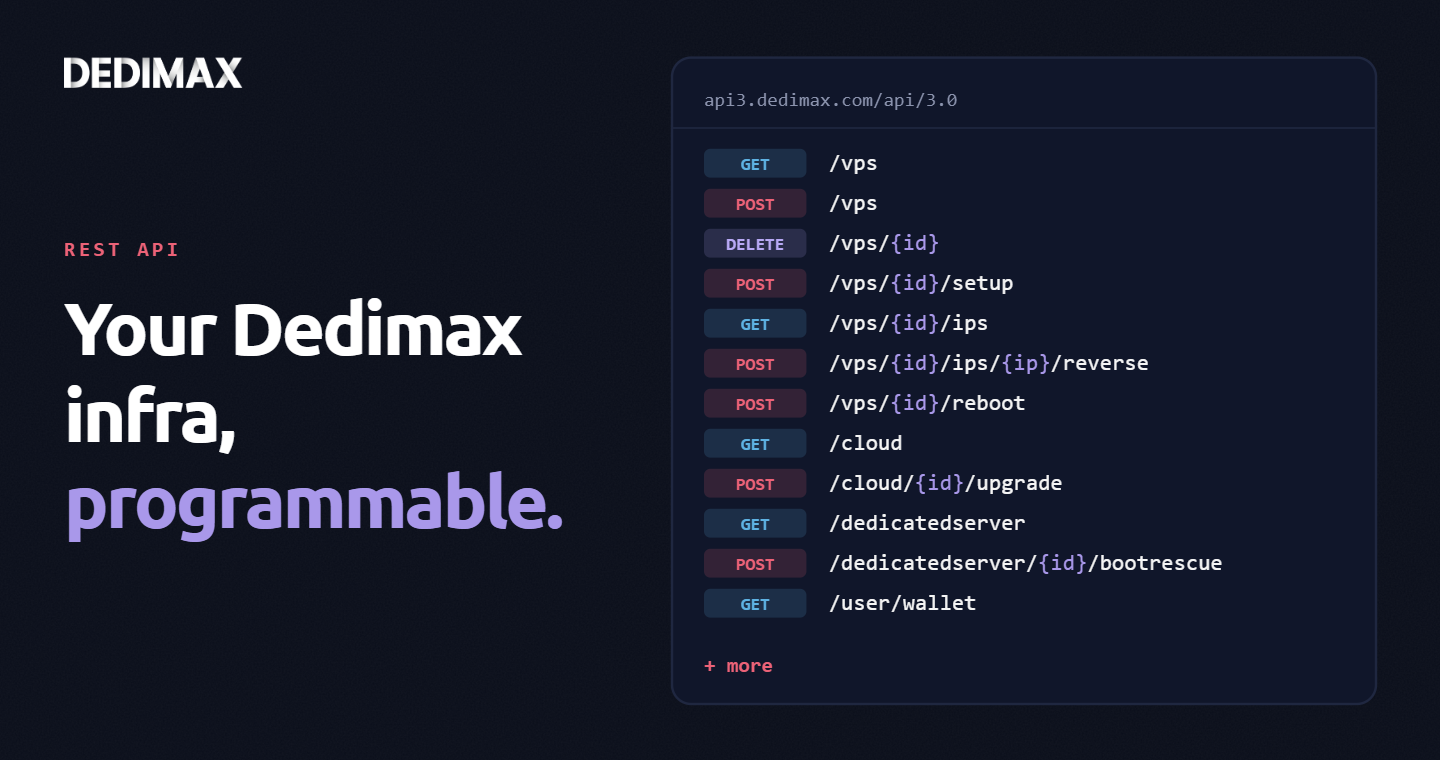
Clicking through a panel to provision a VPS, trigger a reboot, or change a reverse DNS record is fine when you...
Take control of your dedicated server (settings, data ...) without any limits in apps usage.
What are you waiting for ?
We’re waiting for you on our blog. New guides and tutorials published regularly (sysadmin, gaming, devops...) !
Let me check