tutorial
Automate Your Infrastructure with the Dedimax API: 5 Real-World Use Cases
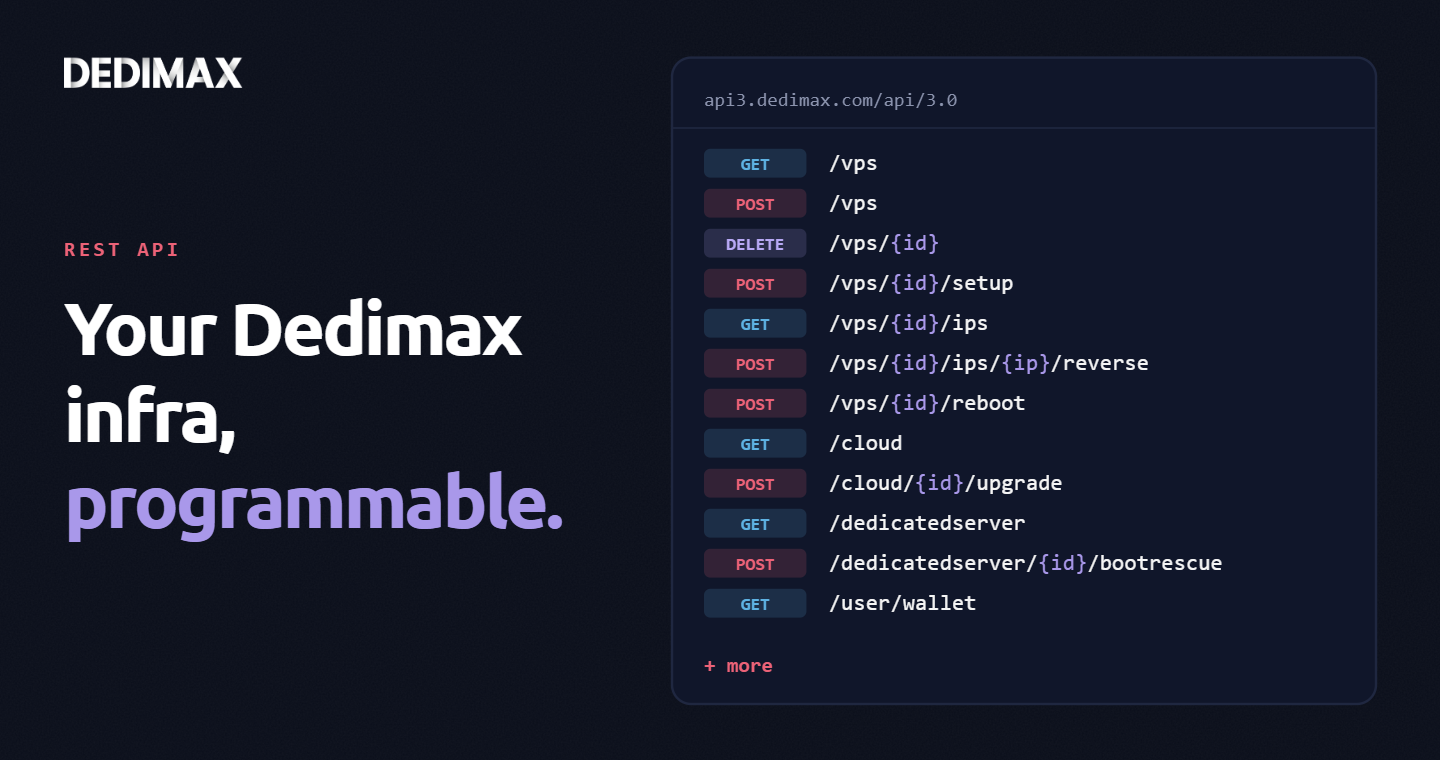
Clicking through a panel to provision a VPS, trigger a reboot, or change a reverse DNS record is fine when you...

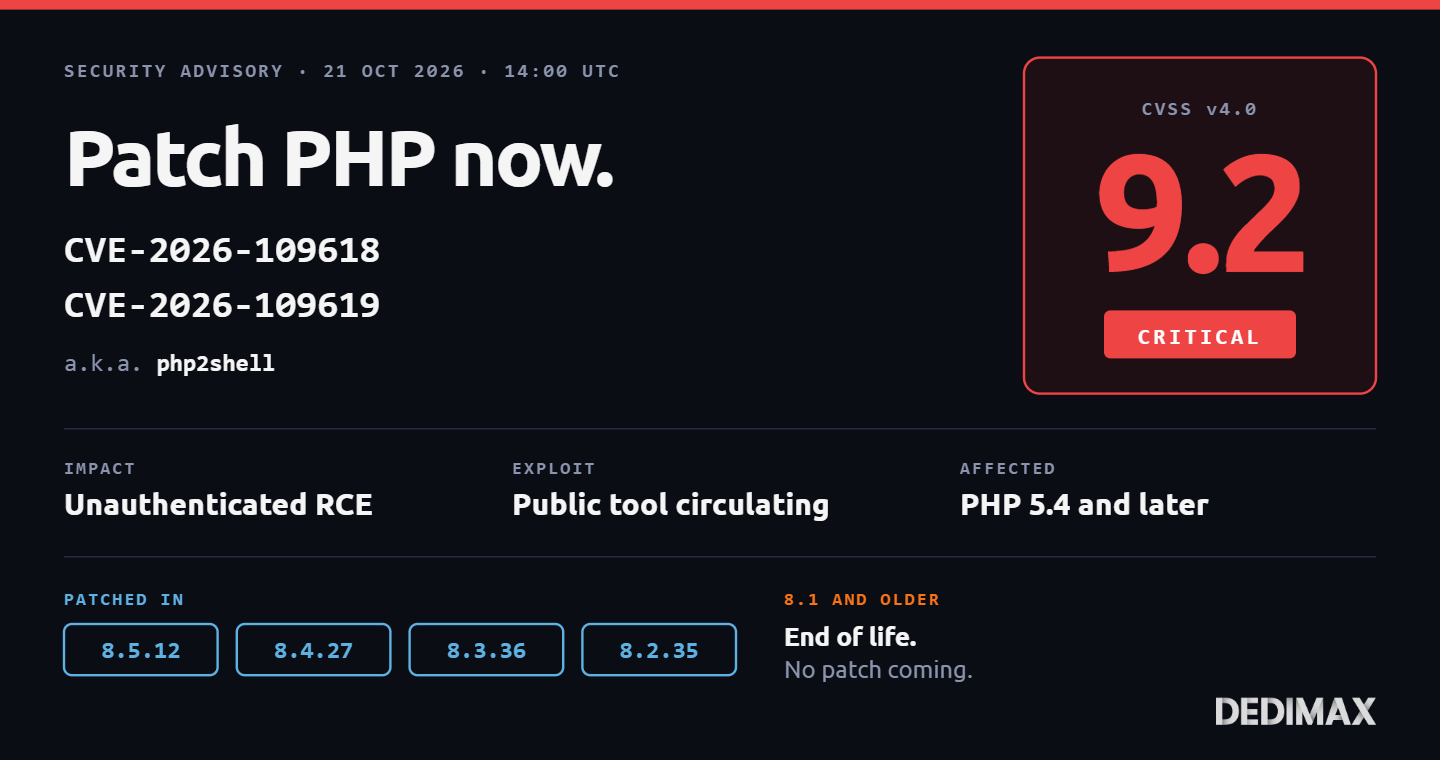
Two critical remote code execution vulnerabilities in PHP were patched today, October 21, 2026 at 14:00 UTC. The combined CVE pair, nicknamed php2shell, affects every PHP version from 5.4.0 onwards. CVSS score: 9.2 critical. Public exploit code is already circulating. Cloudflare reports early attacks emerging in the wild.
If you run any PHP-based service in production, this is the article to read before the end of the day.
Both CVEs stem from the same root cause: PHP's internal error handling uses longjmp() to recover from fatal conditions, and longjmp() doesn't clean up intermediate memory state. The two CVEs exploit this flaw in two different error paths.
CVE-2026-109618, Out-of-memory handler RCE. When PHP hits an out-of-memory condition, the OOM handler uses longjmp() to abort the request. Memory allocated during the aborted request is left uninitialized but still referenced. An attacker who can reliably trigger an OOM condition (large allocations, deeply recursive input, specific function patterns) can control what ends up in that memory region and achieve remote code execution.
CVE-2026-109619, Fatal-error handler RCE. Similar pattern, different trigger. Fatal-error handling via longjmp() leaves global memory pointing to regions that have been freed. Those regions can be read or branched on during subsequent requests, giving attackers a path to arbitrary code execution across requests, not just within a single one.
Both are reliable RCE primitives. Both require no authentication. Both affect default PHP installations without any special configuration. The attack surface is any application that accepts user-controlled input large enough to trigger an OOM, or any application that encounters fatal errors on attacker-reachable code paths. In practice: nearly every real-world PHP application.
Three reasons this one is different from the usual monthly PHP security release:
1. Scale of exposure. Cortex Xpanse identified over 22.6 million internet-exposed PHP instances potentially vulnerable to both CVEs. PHP still powers a significant fraction of the public web: WordPress, Drupal, Joomla, Nextcloud, custom LAMP applications, control panels like cPanel and Plesk. The population of targets is massive.
2. Public exploit code circulating. Working exploit chains were released publicly before the patches. Multiple security researchers (watchTowr, Sansec) have reproduced CVE-2026-109618 independently. The window between "vulnerability known" and "exploitation in the wild" is measured in hours, not weeks. Cloudflare has already deployed WAF rules in response to active probes.
3. "ini settings won't save you." That quote is from Joe Ferguson, PHP 8.6 release manager. There's no php.ini directive to disable the vulnerable code paths. No disable_functions list that prevents it. No safe mode that would mitigate it. The only real fix is updating the PHP binary itself.
At least one European government took its public website offline as a precaution rather than wait for a patch deployment. That's the appropriate severity level.
Your remediation path depends on which PHP version you currently run. Check first:
php -vThen follow the appropriate scenario below.
Update to the patched version:
On Debian/Ubuntu with the Ondřej Surý PPA (the standard way to get recent PHP on these distros):
apt update
apt install --only-upgrade php8.5 php8.5-fpm php8.5-cli
systemctl restart php8.5-fpm
Adapt the version number to yours. If you have multiple PHP versions installed in parallel (common on hosting panels), update each one you use.
On Red Hat / Rocky / Alma with the Remi repository:
dnf update php php-fpm php-cli
systemctl restart php-fpm
On Alpine (common in containers):
apk update
apk upgrade php85 php85-fpm
Verify the new version:
php -vThen restart every service that embeds PHP: PHP-FPM, Apache with mod_php, Nginx+PHP-FPM, FrankenPHP. Running processes keep the old PHP code loaded until restarted.
Example: you're on PHP 8.3.14 and the fix is 8.3.36. You're still on a supported branch, you just haven't been applying point releases. The upgrade path is identical to Scenario 1: run the update, your package manager jumps you to the patched version.
What's worth doing in parallel: enable automatic security updates so you don't miss the next critical patch. Our post-provisioning checklist covers unattended-upgrades setup (check 4). For PHP specifically, make sure your PPA or vendor repository is in the auto-update whitelist.
No patch is coming. PHP 8.1 reached end-of-life in December 2024. PHP 8.0 and the entire 7.x branch have been EOL for years. The PHP Group will not backport fixes to these versions.
You have four options, from best to worst:
Option A (recommended): Upgrade to a supported branch. Jump to PHP 8.5 (current stable) or 8.4 (previous stable, longer remaining support). Yes, there are code compatibility changes. Yes, this takes real work. Yes, you should still do it. Running EOL PHP in production in 2026 means every future vulnerability affects you forever. The compatibility delta between 8.1 and 8.5 is well-documented and in most well-maintained applications, the required changes are small.
Option B (temporary mitigation): Isolate your PHP from the internet. Put a WAF in front with aggressive rules against OOM-triggering patterns. CERT-EU explicitly recommends this as a stopgap: isolate internet-facing applications from public networks until you can migrate. Cloudflare has deployed free-tier WAF rules targeting known exploit vectors for php2shell. This is a stopgap, not a fix. The vulnerability is still exploitable from any attacker who gets past the WAF (compromised credentials, insider access, SSRF chain).
Option C: Use a vendor-maintained LTS fork. Some distributions and commercial vendors ship extended support for EOL PHP branches. If you're on RHEL with extended support, check if Red Hat has backported the fix. If you're on a hosting panel like Plesk or cPanel, check their security advisories. If you're paying for extended PHP support from a vendor, this is exactly what you're paying for.
Option D (worst but sometimes reality): Shut it down. If the application is non-critical, old, and migrating would cost more than the risk warrants, taking it offline is a legitimate choice. Better than leaving a known-vulnerable RCE target exposed. The European government mentioned above chose this path for 48 hours.
Simply updating the package isn't enough. PHP processes keep their old binary mapped in memory until they're explicitly restarted. The common failure mode: admin runs apt update && apt install php..., declares victory, and PHP-FPM workers are still running the vulnerable code because nobody restarted the service.
Three verification checks:
1. Package version matches. The installed binary version matches the patched version:
php -v2. Running processes are using the new binary. Check which binary PHP-FPM is actually executing:
ps aux | grep php-fpmThen for the process ID:
ls -la /proc/PID/exeThe target of the symlink should match the installed binary location.
3. End-to-end test. From outside your server, request a page that triggers PHP execution. The PHP version in response headers (if expose_php = On, which you shouldn't have anyway) or in a one-shot check script should match the patched version.
For Docker-based deployments, rebuild your images from the updated base. Running containers that pulled an unpatched PHP image will stay unpatched until rebuilt and redeployed. docker image inspect can tell you when a given image was built, and whether that's before or after today's patch release.
Critical PHP CVEs are rare but not unheard of. Critical CVEs with public exploit code circulating within hours are increasingly the norm, not the exception. The gap between "disclosure" and "mass exploitation" has shrunk to the point where "I'll patch next week" is no longer a defensible strategy.
Three disciplines that would have made today's response trivial for teams that had them in place:
1. Automated security updates. Unattended-upgrades or equivalent, configured to install security patches without manual intervention. The PHP patches hit the Debian repositories within hours of release. Teams with auto-updates enabled were patched by the time they read the news.
2. CVE monitoring in your workflow. CISA KEV catalog subscription, PHP security announcement list, your distribution's security feed. You should learn about critical vulnerabilities affecting your stack from your own feed reader, not from a client's panicked message. We walked through building this discipline in 5 signs you don't have a real security watch.
3. Known inventory of what runs where. When a PHP CVE drops, your first question is "which servers run which version of PHP, and are any of them exposed?" If you can't answer in minutes, you'll spend the critical patch window doing archaeology instead of patching. A simple inventory document saves hours in exactly these moments.
For teams running PHP on Dedimax VPS or dedicated servers, the entire remediation above is doable in under 30 minutes if you had those disciplines in place, or in a stressful afternoon if you didn't. Either way, do it today. The window between CVE disclosure and mass exploitation on this one is measured in days, and the clock started at 14:00 UTC.
Sources: PHP Group advisory, Palo Alto Unit 42 threat brief, Tenable FAQ, watchTowr intelligence, Sansec research, Huntress rapid response.
Deploy your own VPS
300+ apps in one click, full root access, ready in minutes.
From $11.99/mo
Clicking through a panel to provision a VPS, trigger a reboot, or change a reverse DNS record is fine when you...
Almost every guide on this blog eventually says "put a reverse proxy in front of it." Vaultwarden needs one. S...
Every sysadmin has read the "change the SSH port to 2222" advice. It's the wrong lesson. Attackers scanning th...
Take control of your dedicated server (settings, data ...) without any limits in apps usage.
What are you waiting for ?
We’re waiting for you on our blog. New guides and tutorials published regularly (sysadmin, gaming, devops...) !
Let me check