Black October Was Accelerated by AI. Here's What Comes Next for CVE Monitoring.
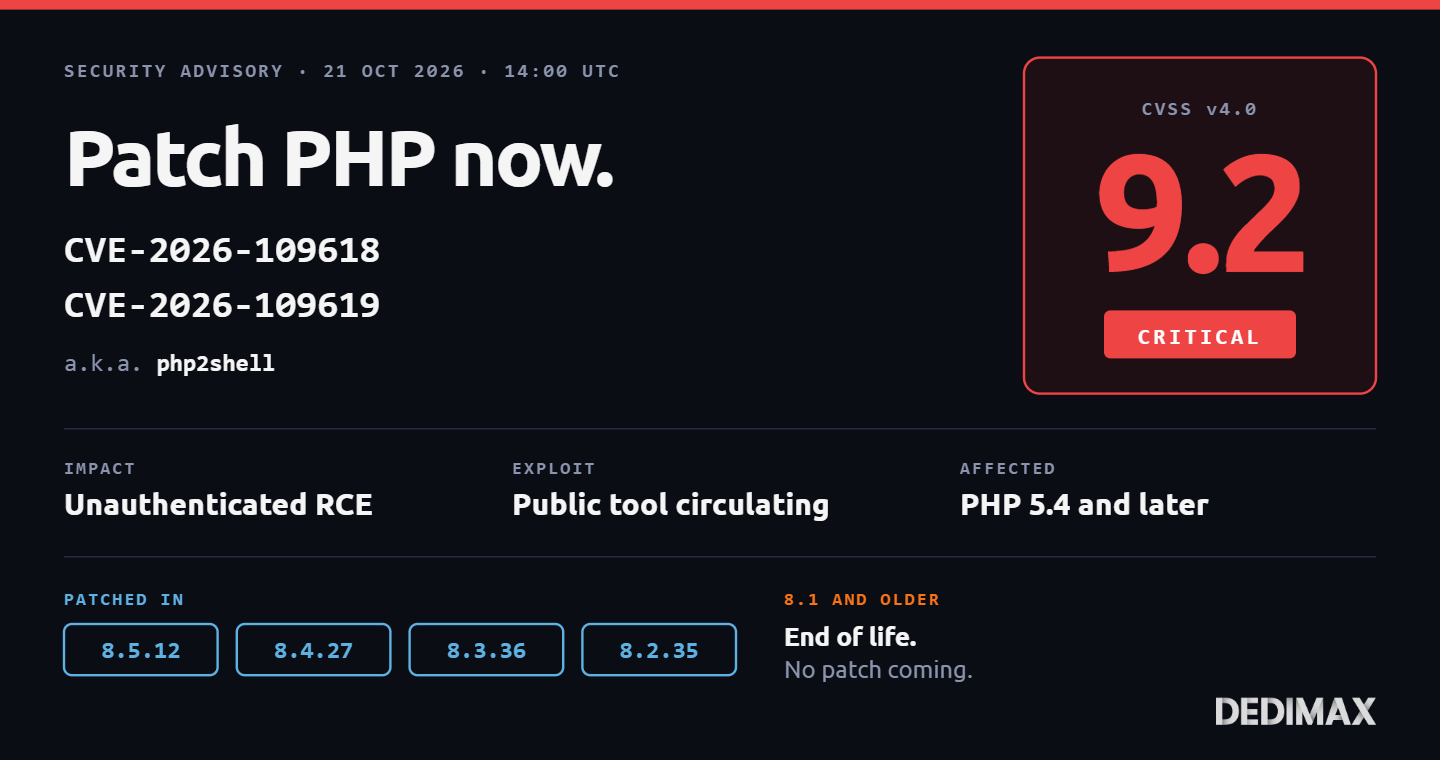
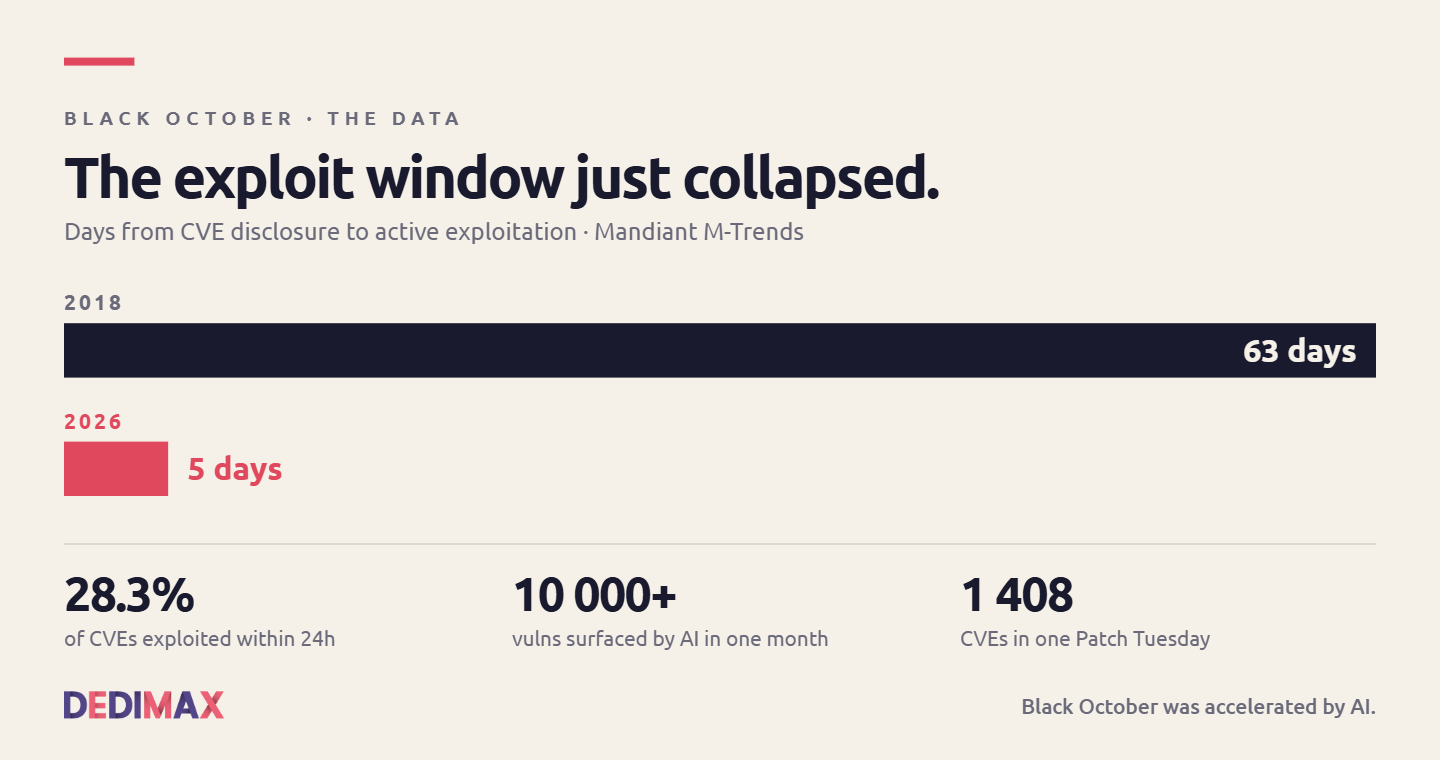
The last ten days have been nicknamed "Black October" in the security press. Two critical PHP RCE vulnerabilit...

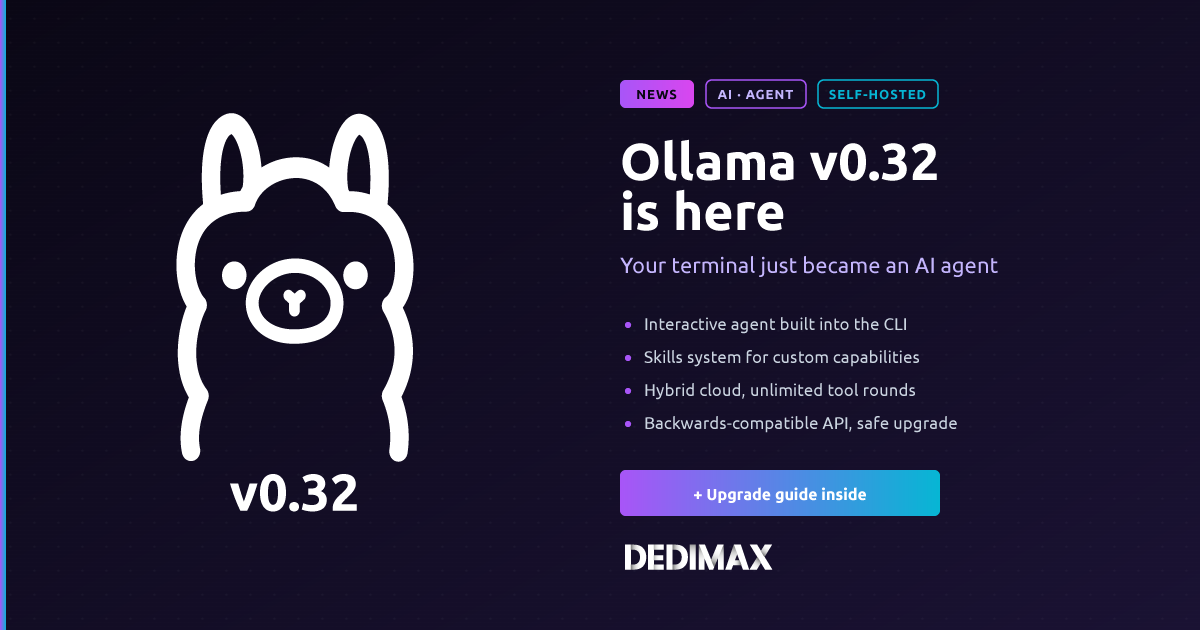
Ollama's 0.32 release, out this month, is the biggest shift the project has made since it added GPU support. The CLI is no longer just a runner for local models. Running ollama on its own now drops you into an interactive agent that can chat, write code, execute commands, and search the web. It's the same command you've been typing for two years, but the behavior underneath has changed.
If you already run Ollama on a server (or you were about to), this is worth reading before your next update. The upgrade path is straightforward, but the new default behavior surprises a lot of existing users on first launch.
Two releases dropped back to back: v0.32.0 on July 11 and v0.32.1 on July 16. Together they mark a clear pivot from "local model runner" to "interactive AI environment on your terminal."
Here's what's new:
The interactive agent, built into the CLI. Type ollama with no arguments and you get a fully-featured agent session, not the old help message. It handles multi-turn conversation, code execution in your working directory, file reads and edits, and web search when configured. The behavior loosely mirrors what the Claude Code, Cursor, and OpenHands CLIs do, but running against your local models by default.
The ollama launch command. A single command that spins up a coding agent with environment variables configured and the correct model downloaded if it's missing. Point it at a project directory and it inherits that context. Useful for scripting agent sessions on remote servers or CI pipelines.
The Skills system. Reusable capabilities that the agent can invoke: file operations, git commands, web fetch, terminal execution. Skills load dynamically and can be defined by the user. The pattern is close to the "tools" concept in Anthropic's Messages API, which is not coincidence.
Unlimited tool rounds for cloud models by default. In previous versions, tool-calling loops were capped at a fixed number of rounds. That cap has been removed for the cloud-hosted model path, which means longer agentic workflows complete without hitting artificial limits.
Hybrid cloud is now first-class. Since earlier 2026, Ollama has quietly supported routing some model requests to Ollama's own hosted infrastructure while others run on your local GPU. In v0.32 this is more prominent: some newer or larger models run cloud-side by default even when your local GPU could handle them, unless you explicitly pin them local. The API endpoint stays identical either way.
Improved Gemma 4 tool calling and multi-turn reasoning. More reliable tool-response continuations, useful for agent workflows that involve multiple back-and-forth steps.
MLX improvements on Apple Silicon. A recurring MLX model cache leak has been fixed, snapshot performance is faster, and the load timeout now respects OLLAMA_LOAD_TIMEOUT. Relevant if you also test locally on a Mac before deploying to a Linux server.
B200-class GPU support. Compute capability 10.0 has been added to the Linux CUDA v12 preset. If you're running on the newest datacenter cards, they now work with the standard CUDA backend without needing v13.
Underneath all of that, the community has grown to about 8.9 million developers according to Ollama's own count. The project also announced an $88 million funding round on July 9 (Benchmark, Theory Ventures, 8VC, Y Combinator), which explains the accelerated development pace on features like Skills and hybrid cloud.
If you've been running Ollama as a "hidden" background service (systemd unit, port 11434, driven by another tool like Open WebUI or a script), most of what changed in v0.32 is transparent. Your API calls still work. Your models still load. Your inference speed is the same or slightly better.
Where things get interesting is on the terminal. If your workflow was "SSH into the box, run ollama run llama3:8b, chat," the equivalent v0.32 workflow is much richer. You can now use the local model as a scriptable agent inside the shell session, with access to the filesystem and the ability to execute commands. It's genuinely useful for server administration tasks where you don't want to leave the terminal or send sensitive commands to a cloud API.
The trade-off: the default ollama command no longer prints the CLI help. If you were relying on that in scripts or muscle memory, you'll need to use ollama --help explicitly.
The v0.32 agent is closer to a working development environment than a chat interface. In a session, you can:
ollama signin has been done for cloud model accessThe Skills system lets you extend this. You can define custom skills for domain-specific operations (interact with a specific database, deploy a specific service, format output in a specific way) and the agent will pick them up dynamically.
Two caveats worth stating up front. First, the agent has real access to your system. It can execute commands, edit files, delete things. Run it in a working directory you're comfortable with the agent touching, and don't run it as root unless you have to. Second, when a task requires web search or a cloud model, Ollama routes those to its hosted infrastructure, which requires signing in. If you're strictly running local for privacy or air-gapped reasons, stick to local models only and configure OLLAMA_HOST accordingly.
The upgrade path is clean for most setups. Here's the process for a standard Linux install.
If you installed Ollama via the official install script:
curl -fsSL https://ollama.com/install.sh | shThe script detects your existing install and upgrades in place. Existing models, config, and running services are preserved. Restart the systemd service afterward:
sudo systemctl restart ollamaVerify the version:
ollama --versionYou should see ollama version is 0.32.1 (or newer by the time you read this).
For Docker-based deployments, pull the new image:
docker pull ollama/ollama:latest
docker restart ollama
If you pinned to a specific version tag like ollama/ollama:0.31.x, you'll need to update the tag in your docker-compose.yml or run script to pick up 0.32.
Once you're on 0.32, the fastest way to see the change is to just run the command:
ollamaWithout arguments. You'll get an interactive prompt. Ask it to help with something concrete like reading a file or summarizing a directory listing. If you have a model already pulled (llama3, qwen3, mistral, gemma4, etc.), the agent will use it. If not, it'll offer to download one.
For a more targeted coding session, use ollama launch:
cd ~/my-project
ollama launch qwen3.6:27b
This starts an agent session with the specified model, in the current working directory, with environment variables and paths pre-configured. If the model isn't downloaded yet, ollama launch will pull it first.
To exit any agent session, /bye or Ctrl+C.
The agent works with any model that supports tool calling. Not all Ollama models are tool-capable, and the ones that are perform quite differently for agentic workflows. Based on the current model catalog:
Best overall on consumer hardware: qwen3.6:27b. Around 17 GB at Q4 quantization, fits comfortably on a 24 GB GPU. Strong tool calling, reliable multi-turn behavior, and reportedly scores 77.2% on SWE-bench.
Best small model (fits 16 GB): gpt-oss:20b. Solid tool calling, adjustable reasoning budget. Useful if you have a smaller GPU or want to run alongside other workloads.
Best coding-focused: qwen2.5-coder:7b for small setups, laguna-xs:2.1 or kimi-k2.7-code for larger deployments if you have the hardware. These are tuned specifically for code and agentic tasks.
Best for tool calling specifically: gemma4 in the various sizes. The 0.32 release specifically improved Gemma 4 tool calling reliability, and it's now one of the better choices for agent workflows.
Best long-context: llama4-scout if you need to work with large codebases or long documents in a single context.
For anything above the 7-8B parameter range at reasonable speed, you want dedicated GPU hardware. Running a 27B model on CPU is technically possible but painful (seconds to minutes per response). A dedicated server with a modern GPU makes the difference between "toy" and "usable."
For smaller experimentation, a VPS with 16 GB RAM handles 7-8B models on CPU and gives you a place to iterate on prompts, skills, and configurations before scaling up.
For any long-term deployment, run Ollama through systemd. The install script sets this up automatically, but the config is worth understanding.
Check the current unit:
sudo systemctl cat ollamaYou'll see something like:
[Unit]
Description=Ollama Service
After=network-online.target

[Service]
ExecStart=/usr/local/bin/ollama serve
User=ollama
Group=ollama
Restart=always
RestartSec=3
Environment="OLLAMA_HOST=0.0.0.0:11434"
Environment="OLLAMA_MODELS=/usr/share/ollama/.ollama/models"

[Install]
WantedBy=default.target
A few environment variables worth knowing:
OLLAMA_HOST: what the API listens on. Default is 127.0.0.1:11434, change to 0.0.0.0:11434 to accept external connections (only if you're behind a reverse proxy or firewall).OLLAMA_MODELS: where downloaded models are stored. Move this to a larger disk if models take up significant space.OLLAMA_KEEP_ALIVE: how long a loaded model stays in memory after last use. Default is 5 minutes. Set to -1 to keep loaded indefinitely, 0 to unload immediately.OLLAMA_NUM_PARALLEL: how many concurrent requests each model can handle. Default is 4.OLLAMA_MAX_LOADED_MODELS: how many models can be loaded in GPU memory at once. Default varies by hardware.OLLAMA_LOAD_TIMEOUT: timeout for loading large models, now respected by MLX text models too in 0.32.To change any of these, edit the unit file (sudo systemctl edit ollama), add your overrides, then:
sudo systemctl daemon-reload
sudo systemctl restart ollamaThe interactive agent runs shell commands and edits files with the permissions of the user running the CLI. If you're running Ollama as a service under the ollama user but launching the agent as your regular user in an SSH session, the agent takes on your user's permissions.
Practical rules for anyone deploying this on a production server:
sudo explicitly from within your prompts, and be aware of what you're authorizing.OLLAMA_HOST explicitly bound to localhost.For the paranoid, running the agent in a disposable VM (or a lightweight VPS reserved for that purpose) is a reasonable pattern. That way even if the agent misbehaves, the blast radius is contained.
A few things people ask about that are unchanged in v0.32:
~/.ollama/models is compatible.ollama/ollama image works the same way. New agent features work inside the container.For most existing deployments, yes. The upgrade is low-risk, backwards compatible on the API side, and the improvements to Gemma 4 tool calling, MLX stability, and CUDA support are worth having even if you don't plan to use the interactive agent.
If your workflow revolves around driving Ollama from an external tool (Open WebUI, LiteLLM, a coding assistant), you gain nothing from the agent features specifically, but you don't lose anything either. Upgrade at your normal cadence.
If you've been curious about running an agent workflow on your own hardware without paying per-token pricing, this is the version where it starts to feel like a product rather than a proof of concept. The combination of the interactive CLI, the Skills system, and improved tool-calling models makes local agentic work realistic for the first time.
For a deeper walkthrough of the base Ollama setup with a web interface, our older guide on running Open WebUI with Ollama still applies, and the interactive agent is a nice complement to that browser-based workflow.
Deploy your own VPS
300+ apps in one click, full root access, ready in minutes.
From $11.99/mo
The last ten days have been nicknamed "Black October" in the security press. Two critical PHP RCE vulnerabilit...
Two critical remote code execution vulnerabilities in PHP were patched today, October 21, 2026 at 14:00 UTC. T...
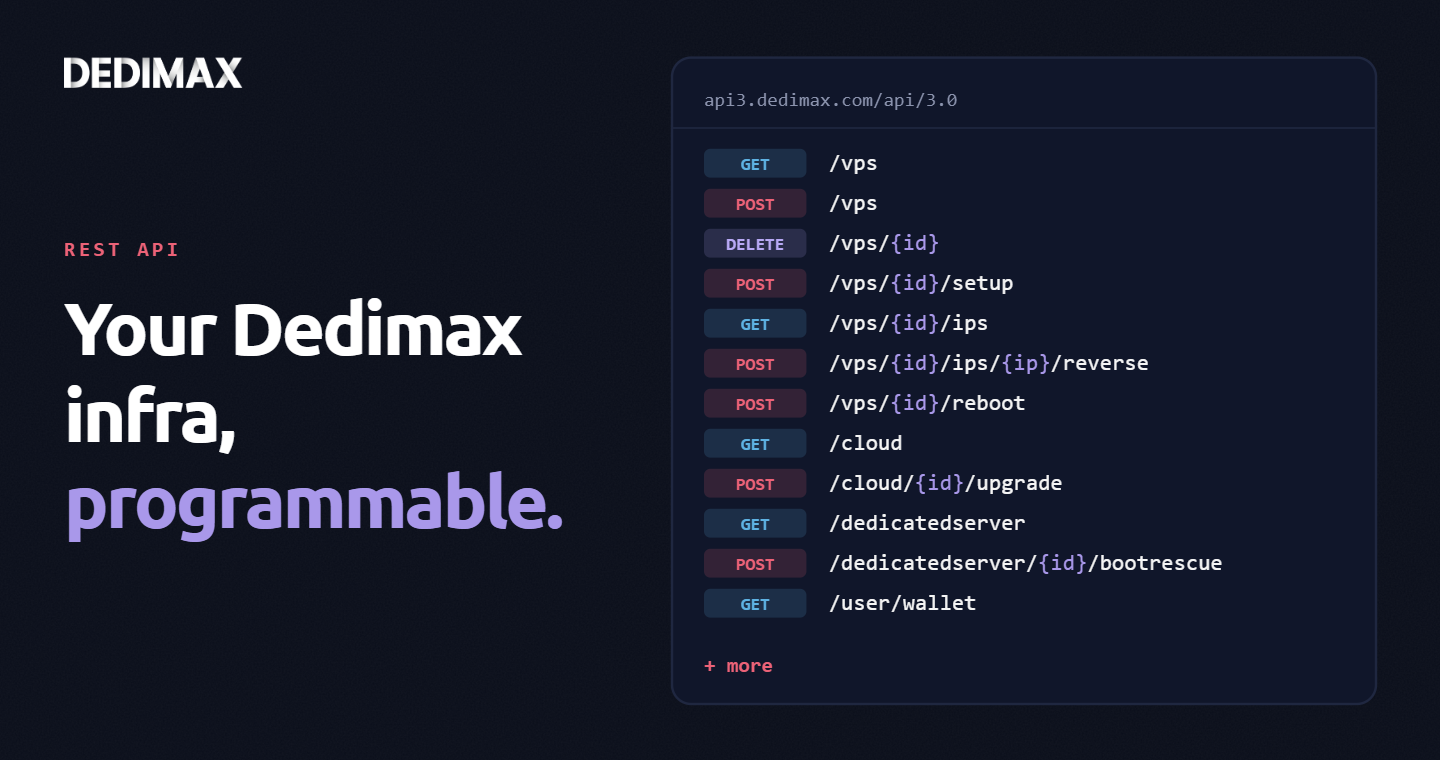
Clicking through a panel to provision a VPS, trigger a reboot, or change a reverse DNS record is fine when you...
Take control of your dedicated server (settings, data ...) without any limits in apps usage.
What are you waiting for ?
We’re waiting for you on our blog. New guides and tutorials published regularly (sysadmin, gaming, devops...) !
Let me check