

Some hosting providers and OS images ship with SSH configured to block root login by default. If you've ever tried to ssh root@your-server and gotten "Permission denied", that's why. There are legitimate reasons to enable it (automation scripts, recovery scenarios, certain backup tools), but doing it the wrong way is one of the fastest ways to get your server compromised.
This guide shows you how to enable root login over SSH, but more importantly, it shows you how to do it without painting a target on your server.
Root login over SSH with a password is one of the most attacked configurations on the internet. Bots scan IPv4 ranges 24/7 looking for port 22 open + root user accessible. On a fresh VPS, you'll typically see hundreds of brute force attempts within the first hour. If your root password is anything less than 20 random characters, it's a matter of time.
If you don't have a specific technical reason to enable root login, don't. Use a non-root user with sudo instead. That's how most modern Linux distros are set up on purpose.
If you do need root login (automation, recovery, etc.), enable it with SSH keys only. Never with a password. The rest of this guide covers both paths, with the SSH key path being the one you actually want to follow.
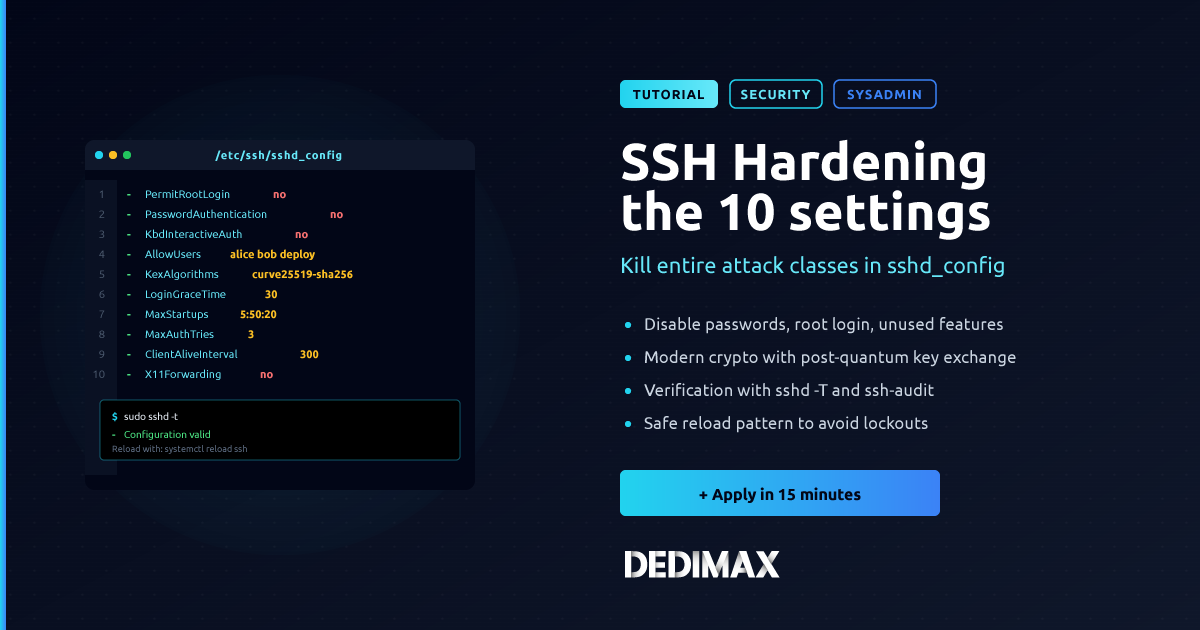
The SSH server config lives at /etc/ssh/sshd_config:
sudo nano /etc/ssh/sshd_configFind the line that starts with PermitRootLogin. It will typically be one of:
PermitRootLogin without-password
PermitRootLogin prohibit-password
PermitRootLogin no
The without-password and prohibit-password values are the same thing (the syntax was renamed in newer OpenSSH versions). Both mean "root can log in, but only with an SSH key, not with a password". This is already the secure default on Ubuntu and most modern distros.
You have two options.
Recommended: keep key-only access. Leave the line as prohibit-password (or change to it if it's no). Root login works, but only for clients with a valid SSH key. Skip to Step 3.
Not recommended but sometimes needed: allow password login. Change the line to:
PermitRootLogin yesSave and exit (Ctrl+O, Enter, Ctrl+X in nano).
If you go with the second option, read the warning section at the end of this article before exposing this server to the internet.
If you kept the key-only setup, skip this step.
sudo passwd rootYou'll be asked to type the new password twice. Use a password manager and generate something at least 20 characters with mixed types. Don't reuse a password from anywhere else.
Apply the config change:
sudo systemctl restart sshOn older systems (pre-systemd):
sudo service ssh restartVerify the service is running:
sudo systemctl status sshTest from a new terminal before closing your current SSH session. If something is misconfigured, you don't want to lock yourself out. Open a second terminal and try:
ssh root@your-server-ipIf it works, you're good. If it doesn't, fix the config in your original session before logging out.
If you're enabling root login at all, you should be using SSH keys. Here's how.
On your local machine, generate a key pair if you don't already have one:
ssh-keygen -t ed25519 -C "your-email@example.com"Press Enter to accept the default location (~/.ssh/id_ed25519). Set a passphrase if you want extra protection (recommended for laptops you carry around).
Copy the public key to your server:
ssh-copy-id root@your-server-ipIf ssh-copy-id isn't available, do it manually:
cat ~/.ssh/id_ed25519.pub | ssh root@your-server-ip "mkdir -p ~/.ssh && cat >> ~/.ssh/authorized_keys && chmod 600 ~/.ssh/authorized_keys"Test that key-based login works:
ssh root@your-server-ipYou should connect without being asked for a password. If a passphrase prompt comes up, that's your local key's passphrase, not the server's password. Different thing.
Once key-based login is confirmed, disable password authentication entirely. Edit /etc/ssh/sshd_config again and set:
PasswordAuthentication no
PermitRootLogin prohibit-password
Restart SSH:
sudo systemctl restart sshNow your server only accepts SSH connections from clients with the matching private key. Brute force attempts become impossible because there's nothing to guess.
Sometimes you have no choice (legacy tooling, recovery, automation that genuinely can't use keys). If that's your situation, at least apply these mitigations.
Use UFW to rate limit SSH. Instead of allowing port 22 wide open, rate limit it:
sudo ufw limit 22/tcpThis blocks an IP after 6 connection attempts within 30 seconds. It won't stop a targeted attacker, but it kills the bulk of automated brute force traffic. Our UFW guide covers the full setup.
Install fail2ban. It watches your auth logs and automatically bans IPs that fail too many login attempts:
sudo apt install fail2ban -y
sudo systemctl enable --now fail2ban
The default config bans an IP for 10 minutes after 5 failed attempts. You can tune that in /etc/fail2ban/jail.local.
Change the SSH port. Moving SSH off port 22 doesn't make your server secure, but it dramatically reduces noise in your logs because most scanners only check port 22. Edit /etc/ssh/sshd_config:
Port 2222Don't forget to allow the new port in UFW (sudo ufw allow 2222/tcp) and update your firewall rules before restarting SSH.
Whitelist your IP. If you connect from a fixed IP, restrict SSH to that IP only:
sudo ufw delete limit 22/tcp
sudo ufw allow from YOUR_IP to any port 22
Now only your IP can even attempt to connect.
The short version of this article:
PermitRootLogin prohibit-password)A misconfigured root SSH is one of the top reasons VPSes get compromised. The five extra minutes spent setting up keys are worth it.
Take control of your dedicated server (settings, data ...) without any limits in apps usage.
What are you waiting for ?
We’re waiting for you on our blog. New guides and tutorials published regularly (sysadmin, gaming, devops...) !
Let me check