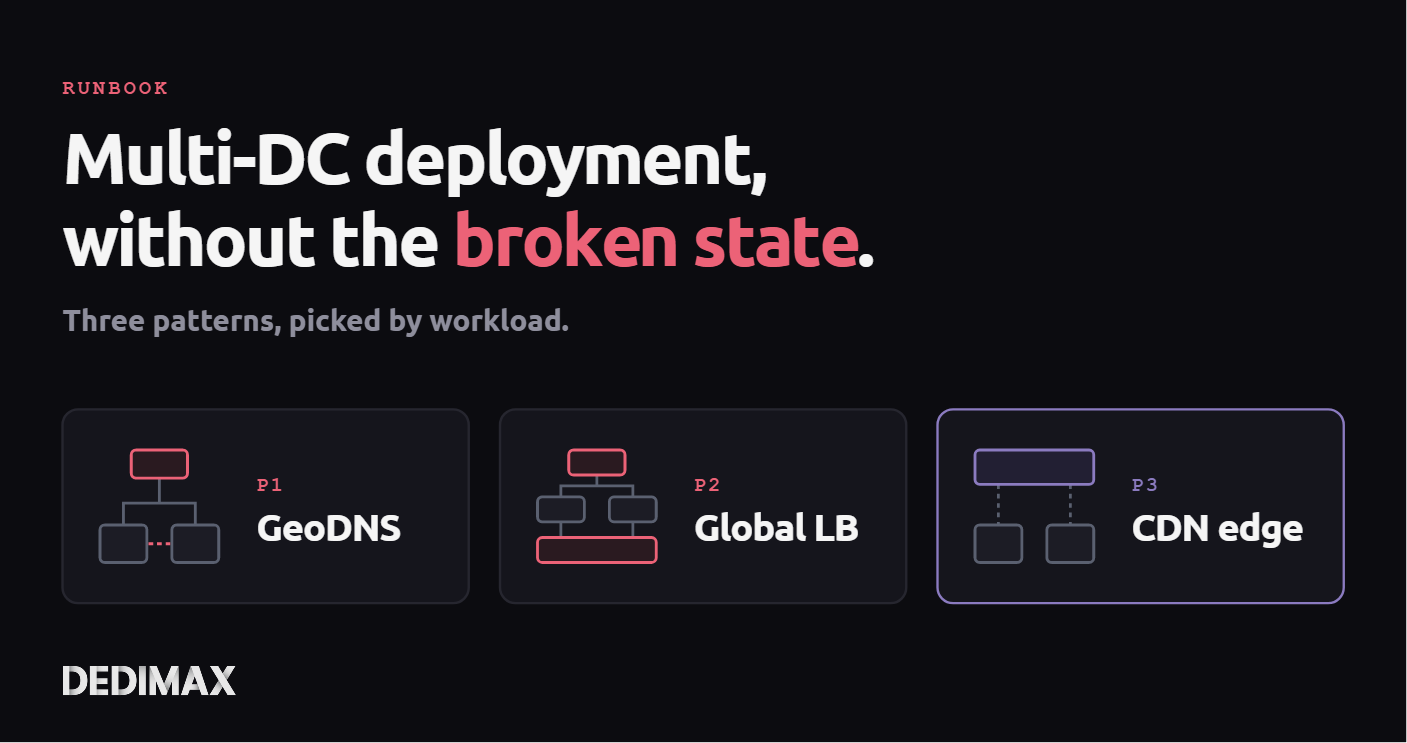
Multi-Datacenter Deployment, Without the Usual Broken State
Multi-datacenter deployment gets described two ways in most docs. The first is the marketing version: "deploy...

Something catastrophic happens to your infrastructure. Your production server is ransomwared. A datacenter catches fire. An attacker gets in and starts destroying things. A developer runs rm -rf / on the wrong terminal. A natural disaster takes out your region. A provider goes bankrupt.
Each of these is survivable if you prepared. None of them is survivable if you didn't.
A Business Continuity Plan (BCP) is the preparation. Not the fancy consultant-produced binder. The actual document and the actual infrastructure that answer one question: when the worst happens, how do we keep the business operating, or get it back operating, within a time we can survive?
This guide walks through what a BCP really is (versus the half-dozen things people confuse it with), the two numbers that drive every decision, the four realistic levels your BCP can sit at, and the one-page document you should write before spending anything on fancier infrastructure. The goal: help you pick the level your business actually needs. Over-engineering a BCP wastes money. Under-engineering one is a bet you'll eventually lose.
The term gets mangled in practice because several related concepts live in the same space. The distinctions matter, because confusing them is how teams end up either paying for Level 4 architectures they don't need or thinking "we have backups" counts as a plan.
Business Continuity Plan (BCP) is the whole thing: the processes, the people, the infrastructure, the communications, and the document tying them together. It covers "how does the business keep running or recover when something catastrophic happens."
Disaster Recovery Plan (DRP) is the technical subset: specifically how to restore the infrastructure. A DRP lives inside a BCP.
Backup is the raw data at rest, the atomic ingredient of any DRP. "We have backups" is not a BCP. It's one component of one layer of a BCP.
Failover is one technical pattern that certain BCP levels use. It doesn't define the plan, it's a tool the plan may choose.
High availability (HA) is a related but different problem: handling routine failures. A disk dies, a server reboots, a service restarts. HA keeps uptime high day-to-day. BCP handles the catastrophic events HA can't absorb (the datacenter goes down, the data gets encrypted, the attacker is inside).
Writing a BCP without these distinctions leads reliably to one of two failures: over-engineering (paying for active/active geo-distribution on a service where a 4-hour outage would actually be fine), or under-engineering (treating "there's a backup somewhere" as enough while never testing restore).
Every decision in a BCP flows from two numbers. Pick them honestly and the rest of the plan designs itself.
RTO (Recovery Time Objective): how long can the business operate without the system? Measured in minutes, hours, or days. If your e-commerce goes down, how many hours before customers abandon and never come back? If your internal tool goes down, is one hour catastrophic or is three days survivable?
RPO (Recovery Point Objective): how much data can you afford to lose? Measured as a duration. If a crash happens right now, do you need everything up to 30 seconds ago (RPO = 30s)? Up to last night's backup (RPO = 24h)? Up to last week (RPO = 7d)?
The honest discussion most teams skip: everyone wants RTO=0 and RPO=0. Few can afford the price.
The jumps in cost between tiers are not linear:
The right RTO/RPO isn't the smallest one you can imagine. It's defined by the actual business impact of outage and data loss, nothing else.
The useful exercise: estimate the cost of one hour of outage and the cost of one day of data loss. Multiply by the probability of events that would cause each. Compare to the cost of the BCP level that would prevent each. Pick the level where cost of prevention roughly matches cost of exposure. If you can't do that math honestly, your RTO and RPO are not business-driven, they're aspirational.
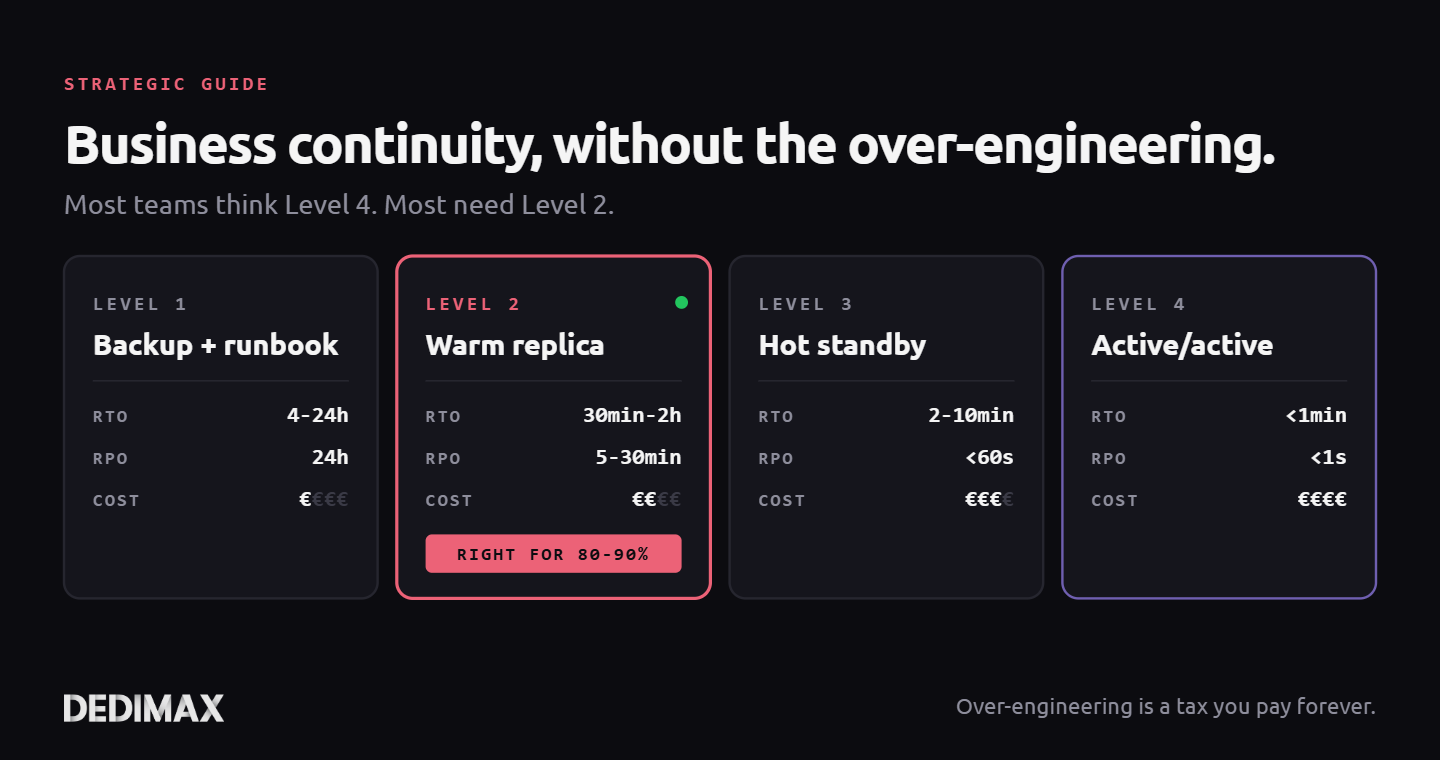
Four honest levels cover what small-to-medium infrastructure teams actually implement. Pick the one that matches your RTO/RPO and your budget. Resist the pull toward higher levels when a lower one would do.
Who it's for: small teams, non-critical SaaS, internal tools, personal infrastructure, any service where a day of downtime is survivable.
What it looks like:
Typical RTO: 2 to 12 hours (time to provision a new server, restore backup, point DNS, verify) Typical RPO: 24 hours (last backup)
Cost: very low. Backup storage plus operational discipline. On typical workloads under 500 GB, you're looking at tens of euros per month total.
The gotchas:
When Level 1 is enough: for roughly 60-70% of small businesses and internal services. If your business can accept being down for a day while someone works through a documented restore, Level 1 is enough. Don't buy more.
Who it's for: small-to-medium businesses whose site or service is the business. E-commerce during buying season. SaaS with paying B2B customers who care about availability. Services where "a full day of downtime" is a genuine business event, not a minor inconvenience.
What it looks like:
Typical RTO: 30 minutes to 2 hours (promote replica, switch DNS, verify) Typical RPO: 5 to 30 minutes (streaming replication lag plus file sync interval)
Cost: roughly 1.5x to 2x your primary infrastructure (the replica itself, plus replication bandwidth, plus coordination storage).
The gotchas:
When Level 2 is enough: for roughly 80-90% of businesses that depend on the service. This is the sweet spot of cost versus resilience for most real small-to-medium operations.
Who it's for: services where ten minutes of downtime is a serious business event. SaaS platforms serving enterprise customers with SLAs. Payment infrastructure. Real-time services where users notice instantly.
What it looks like:
Typical RTO: 2 to 10 minutes (health check detection plus DNS propagation plus client cache behavior) Typical RPO: 1 to 60 seconds (replication lag at the moment of failure)
Cost: 2x to 3x primary infrastructure, plus better monitoring tooling, plus more bandwidth, plus engineering time to design and maintain.
The gotchas:
Who it's for: services where one minute of downtime is a crisis. Large SaaS platforms with global enterprise customers. Payment processors. Trading infrastructure. News sites during peak global events.
What it looks like:
Typical RTO: under 1 minute (health-based routing takes a stricken region out of rotation) Typical RPO: under 1 second (synchronous replication for critical data, async for the rest)
Cost: 3x to 5x primary at minimum, often much more if engineering cost is honestly accounted for. The complexity cost is permanent: you're now debugging distributed-systems problems as a day job.
The gotchas:
A BCP that only addresses "the server" misses half the problem. The inventory of components that need to survive:
A BCP that covers servers but not secrets is a BCP that recovers "the system" into a state where it can't authenticate to any of its dependencies.
The single factor that separates a BCP that works from a BCP that doesn't is whether it's been tested. Once.
The GameDay (or "fire drill") is the scheduled exercise where you deliberately break production or a production-identical staging environment and walk through the full BCP. Annually at minimum, quarterly ideally.
The pattern:
Important rules that separate real exercises from performance:
The practical skills exercised by a GameDay (restoring from backup, booting into rescue mode, promoting a database replica, cutting DNS over) are covered in detail by the backup strategy guide and the rescue mode runbook.
Not hypotheticals. The patterns that actually hit businesses:
1. Ransomware: an attacker encrypts your production data, often including snapshots and sometimes including your "backup" that was mounted on the same host. BCP response: truly offsite backups that the attacker has no access to, plus tested restore procedure that doesn't require re-paying the ransom.
2. Datacenter outage: power event, cooling failure, carrier issue, fire. Your primary site is unreachable for 2 to 72 hours. BCP response: Level 2 or higher with a replica in a different datacenter or different provider.
3. Destructive human error: someone drops the production database. Someone runs rm -rf / on the wrong terminal. Someone truncates a critical table and only notices three days later. BCP response: point-in-time restore from backups (PITR), or a replica that noticed the anomaly and stopped replicating.
4. Compromise with lateral movement: an attacker is in your systems, has been for days or weeks, and is now causing harm. BCP response: ability to rebuild from known-good state, which requires actually having a known-good state captured and a procedure to deploy from it. The security watch article covers early detection, which affects how early your BCP activates.
5. Catastrophic external event: natural disaster takes out a region, geopolitical event disrupts a provider, a provider goes bankrupt (yes, this happens). BCP response: multi-region or multi-provider architecture, plus documented data portability out of any one vendor.
The frequency distribution isn't flat. Ransomware and destructive human error are far more frequent than natural disasters, but all five patterns have killed businesses that weren't prepared. A BCP has to survive the full distribution, not just the most likely case.
The best BCP is the one that never has to run. Reducing the frequency of catastrophic events is cheaper than scaling the plan to handle more of them.
The prevention stack, in increasing sophistication:
A team with strong passive prevention activates its BCP far less often than one without. That matters, because every BCP activation has operational cost, team stress, and some probability of going wrong.
Before you spend a euro on redundant infrastructure or an hour on additional architectural complexity, write this document. If you can't fill out the ten bullets, your BCP has gaps that money won't fix.
The template:
# Business Continuity Plan: [Your service name]

1. Scope: what systems and data this plan covers
   - [list]

2. Target RTO / RPO:
   - RTO: [time]
   - RPO: [time]
   - Business justification: [what outage actually costs, in euros, per hour]

3. Backup strategy:
   - Daily offsite backups stored at: [location, provider]
   - Retention: [period]
   - Last successful restore test: [date, owner of the test]

4. Replica / failover resources (Level 2+):
   - Secondary location: [provider, region]
   - Replication method: [streaming, periodic sync, etc.]
   - Last successful failover test: [date]

5. Authorized decision-makers:
   - Who can declare an incident: [names]
   - Who can trigger failover: [names]
   - Escalation chain beyond business hours: [list]

6. Communication plan:
   - Customer communication channel and template: [where]
   - Internal communication channel: [where]
   - Public status page: [URL or not applicable]

7. Critical third-party dependencies and their emergency contacts:
   - DNS provider: [name, support URL, account ID]
   - Primary hosting (Dedimax or other): [account contact]
   - Email provider: [name, contact]
   - Payment processor: [name, contact]

8. Secrets access during incident:
   - Vault location: [URL]
   - Emergency access procedure: [steps]
   - Backup of vault itself: [where, who can access]

9. Detailed runbook location: [URL to the step-by-step procedure]

10. Next scheduled GameDay: [date, owner, scenario]
That's the whole document. Ten bullets. Print it, put it in the vault, put it in the shared wiki, put it somewhere a person who's never been to your office can find it in a crisis. Review it quarterly.
If this document is missing fields, out of date, or has never been written, no amount of expensive multi-region infrastructure will save you when something goes wrong. A Level 4 architecture with no runbook is less useful than a Level 1 setup with a tested one.
A BCP isn't a binder you write once and shelf. It's a practice:
On any Dedimax VPS or dedicated server, Level 1 is immediate: backups plus a documented runbook, achievable in a day. Level 2 is a focused project: provision a replica, set up replication, document the failover, and test it. Level 3 is architecturally meaningful work but accessible to any team with solid ops practice. Level 4 is rarely the right answer, even for teams who assume it is.
Pick the level your business actually needs. Over-engineering a BCP is a tax you pay forever. Under-engineering one is a bet you'll eventually lose, often at the worst possible moment.
Deploy your own VPS
300+ apps in one click, full root access, ready in minutes.
From $11.99/mo
Multi-datacenter deployment gets described two ways in most docs. The first is the marketing version: "deploy...
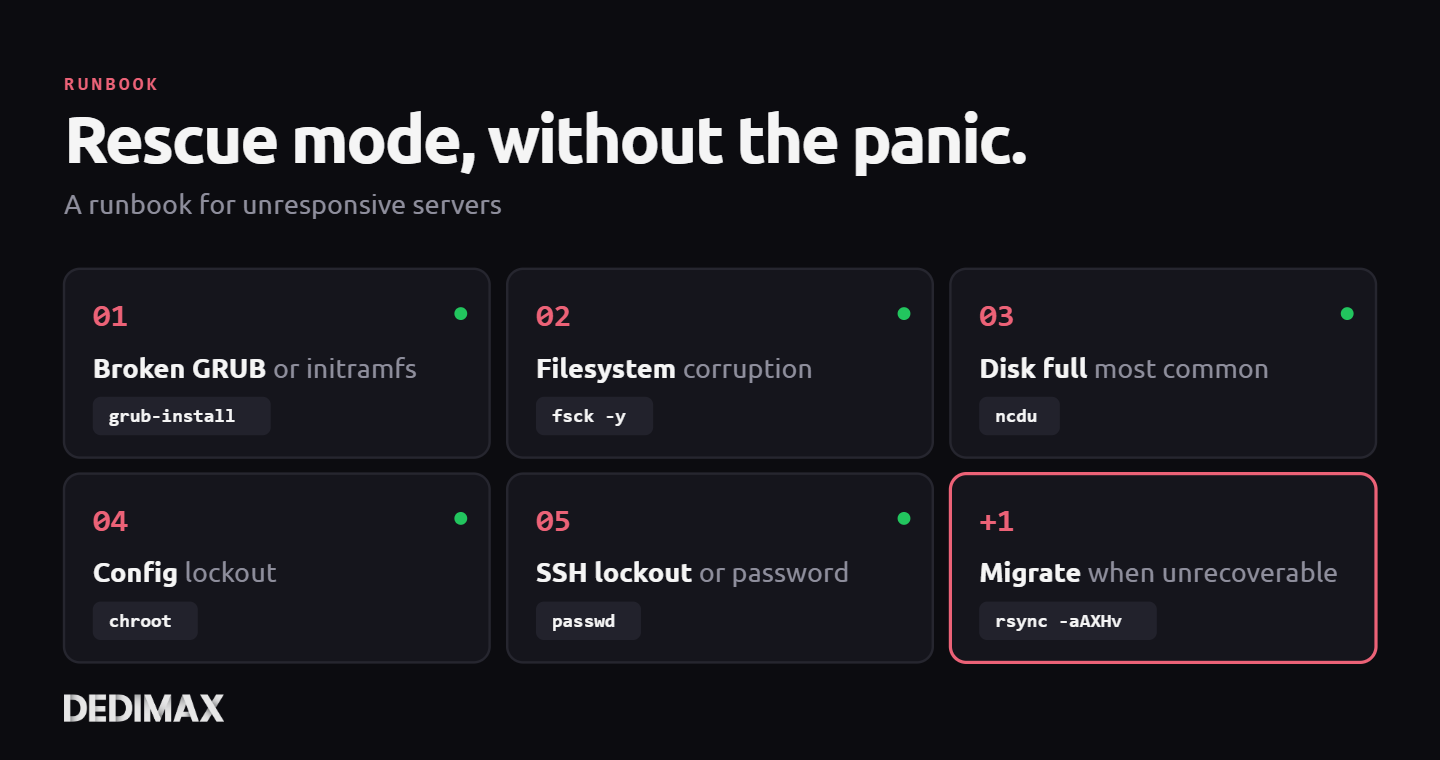
The call comes in at the worst time. Your server isn't responding. SSH hangs. The application is down. Monitor...
Every few months, someone on r/sysadmin or Hacker News restarts the systemd timers vs cron debate. The comment...
Take control of your dedicated server (settings, data ...) without any limits in apps usage.
What are you waiting for ?
We’re waiting for you on our blog. New guides and tutorials published regularly (sysadmin, gaming, devops...) !
Let me check